What this is for
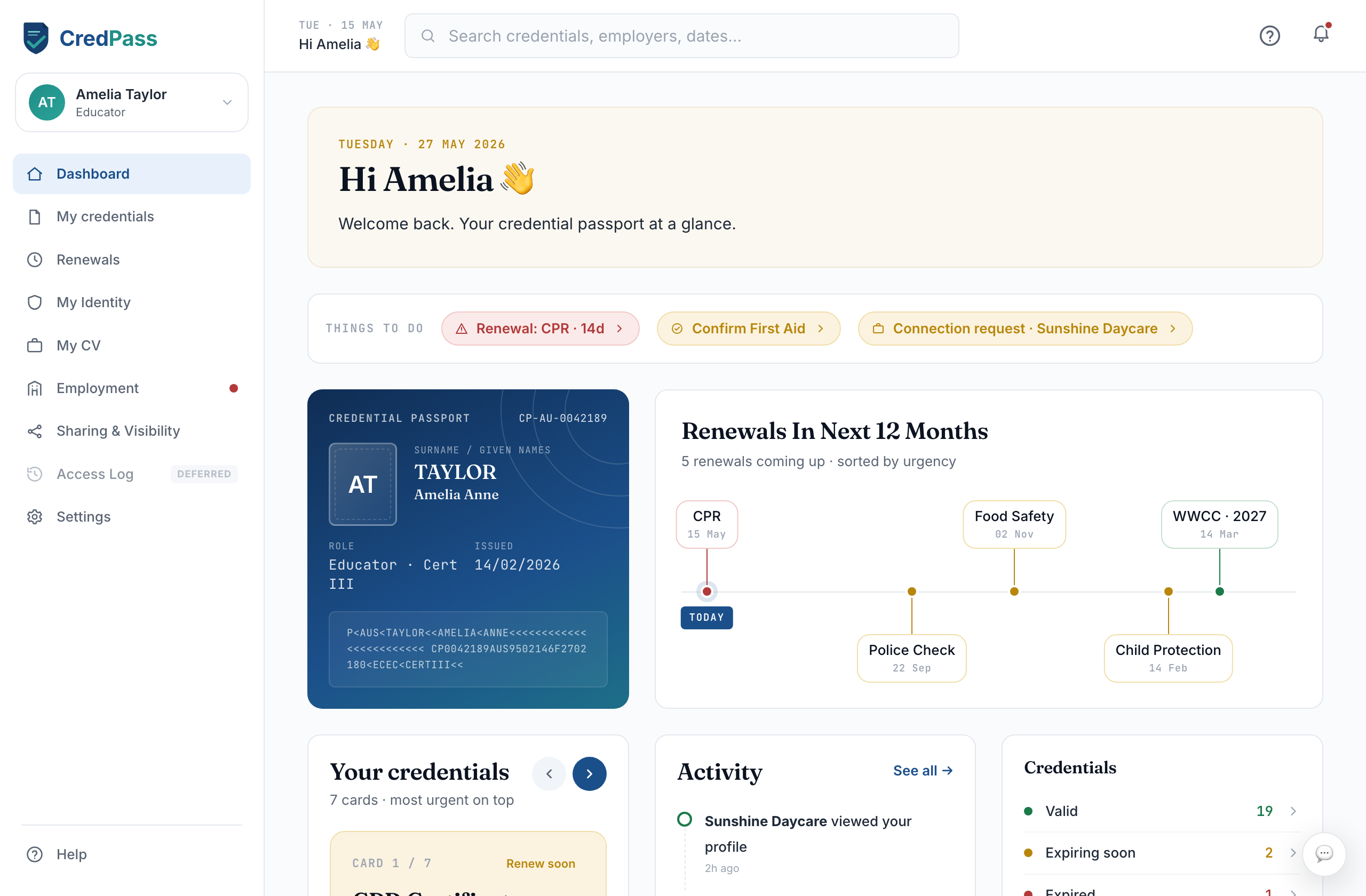
Your dashboard is the first thing you see when you open CredPass. It pulls together what needs your attention, what to do next, and what has changed recently - so you always know where you stand without digging.
Key things you can do
See any credential that needs attention, right at the top
Jump straight to the section you need
Follow recent activity as CredPass verifies and updates documents
Find your CredPass ID on the passport card
Good to know
Alerts clear themselves once you have acted - there is nothing to dismiss.
The passport card shows your CredPass ID; share it with a centre to connect.
Questions
Why am I seeing an alert?
An alert means a credential is expiring, expired, or needs your input. Select it to see exactly what to do.
Where is my CredPass ID?
On the passport card at the top of the dashboard. Copy it and share it with a centre so they can connect to your passport.