Help & Support
My Credentials

Managing your credentials

4 min read
On this page

What this is for

My Credentials is where every document in your Credential Passport lives - working with children checks, first aid, qualifications and more. CredPass reads each document you add, checks the details, and keeps track of when it expires so nothing catches you off guard.

Every credential - like your WWCC - is read and checked by CredPass, so you always know it is valid before a centre asks.

Key things you can do

Add a new credential by photo, PDF or file upload
Watch CredPass verify the details automatically
Confirm anything CredPass needs a second look at
See at a glance what is valid, expiring or expired
Renew a credential without starting from scratch

Step by step

1
Open Add credential

From My Credentials, select Add credential in the top right. You can add one document at a time.
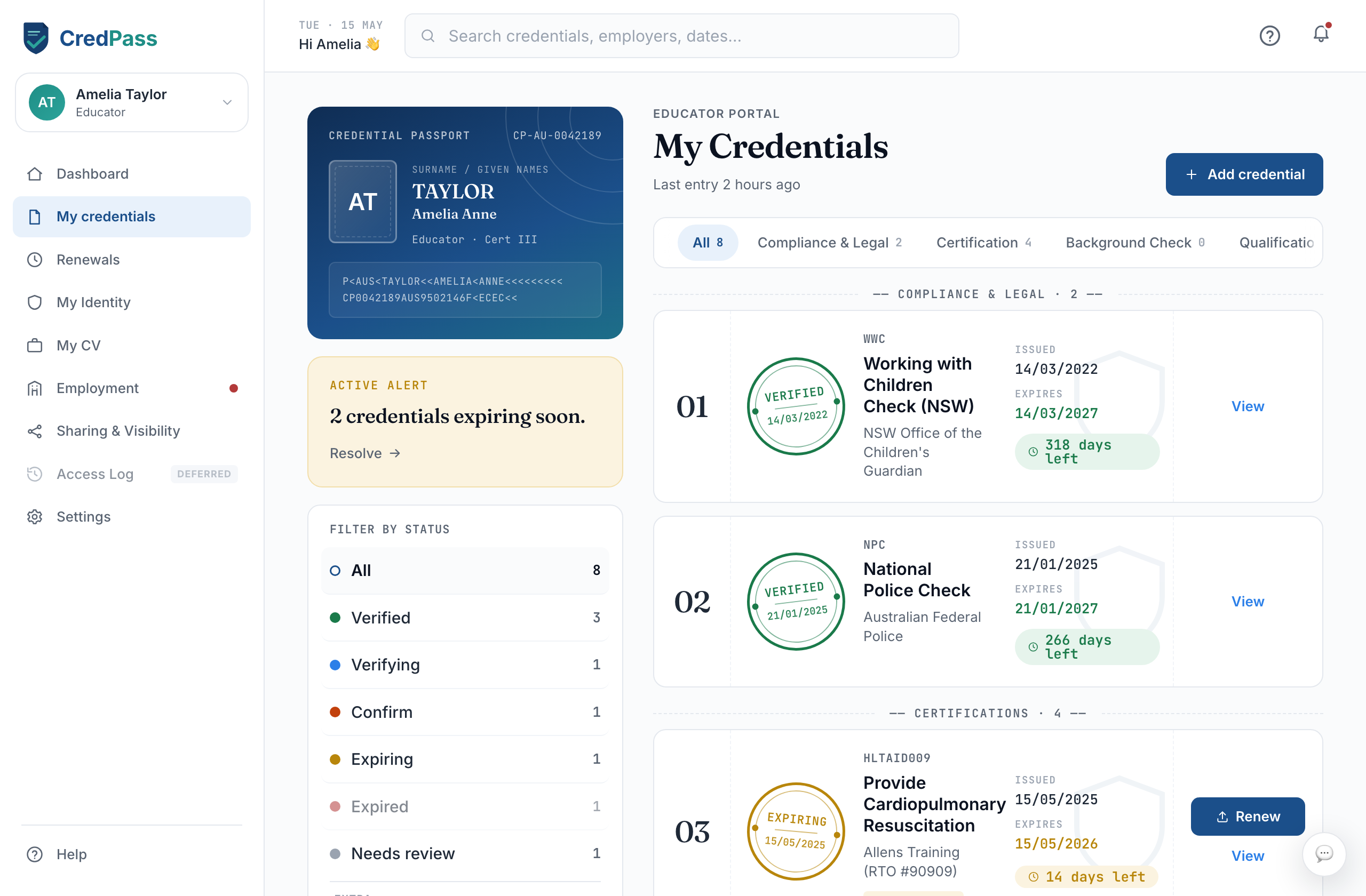
The Add credential button on the My Credentials page
2
Choose the type

Pick the kind of document you are adding - a compliance check, a certification, a qualification or training. This helps CredPass read it correctly.
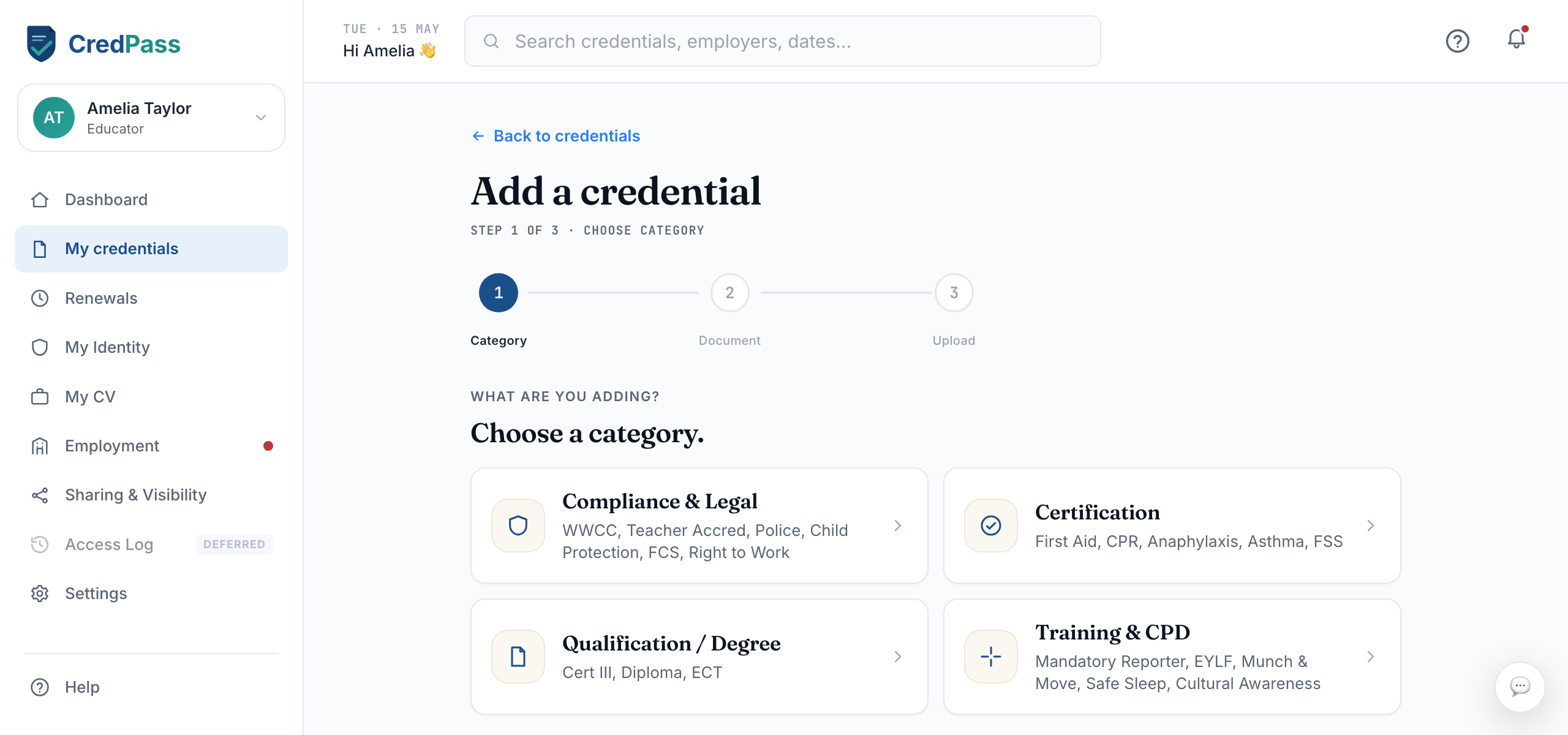
The credential type picker
3
Upload your document

Take a photo or upload a file. Clear, flat images read best. CredPass starts checking the details straight away.
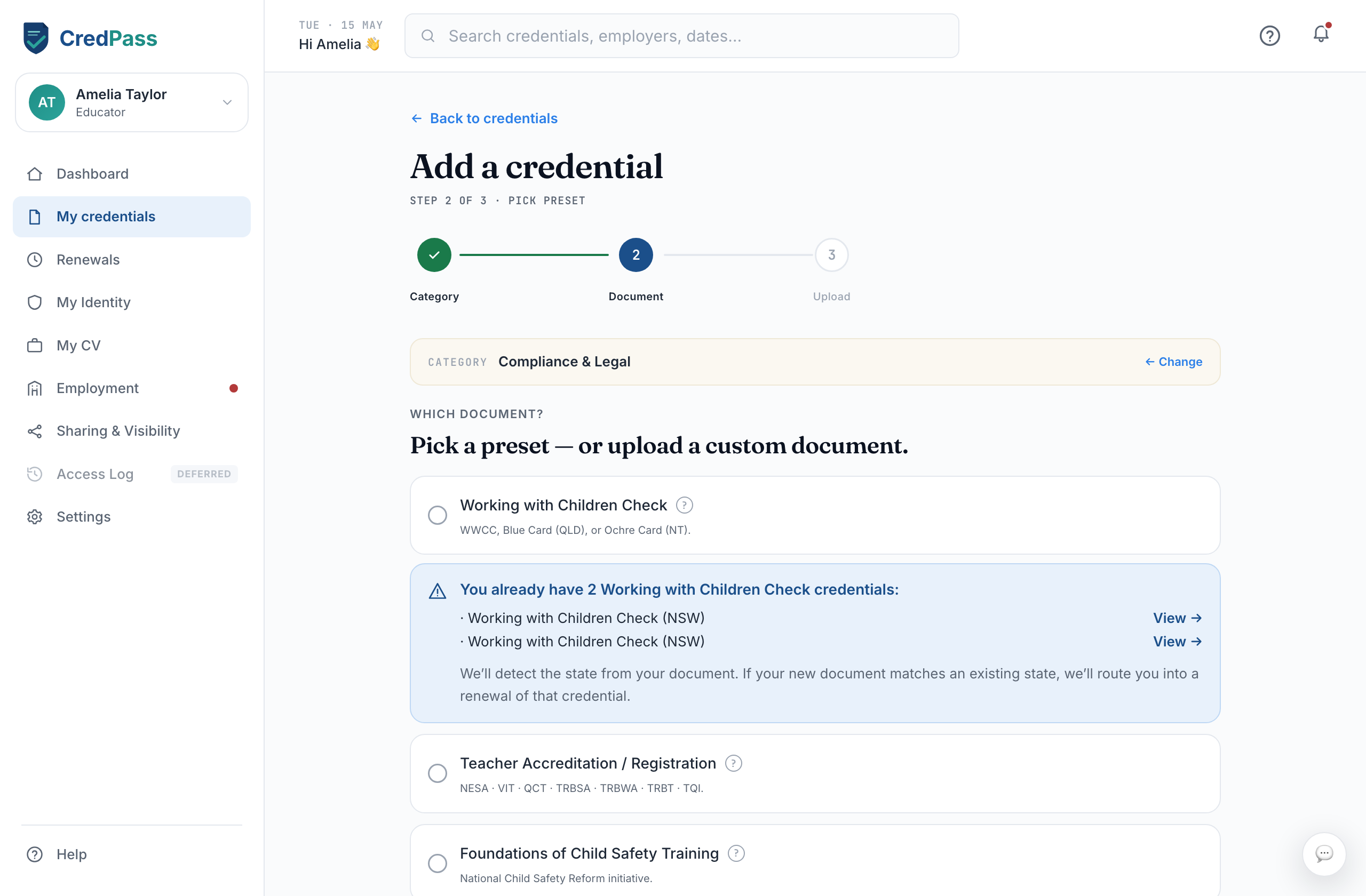
The upload step with a document preview
4
Confirm the details

CredPass read the details and needs you to confirm they are right. Check the dates and numbers, fix anything that looks off, then save.
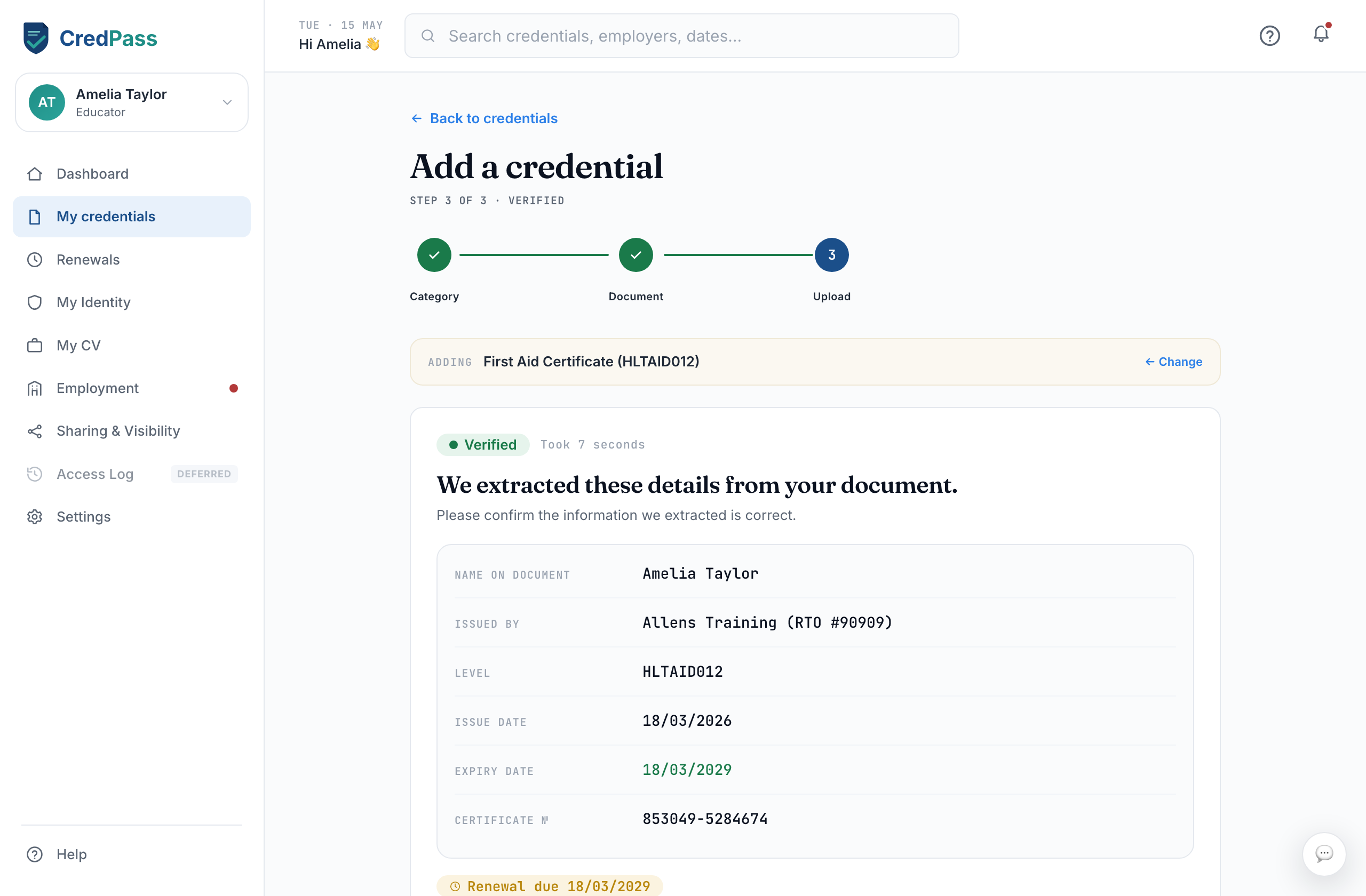
The confirm-details screen with extracted fields

What each stamp means

Verified - Currently valid and confirmed.
Verifying - CredPass is reading the document.
Confirm - Your input is needed.
Expiring - Renew within 90 days.
Expired - Past its validity date.

Good to know

Verifying usually takes under a minute. You can close the window and CredPass will notify you when it is done.
If a document is blurry, CredPass will ask you to re-upload a clearer copy.
Renewing keeps your history - the old version is archived, not deleted.

Questions

What file types can I upload?
Photos (JPG, PNG) and PDFs both work. If you have the original file, that reads most reliably.
Can I add more than one document at once?
Add credentials one at a time so CredPass can read each correctly. Some uploads, like a qualification, may create a linked credential automatically.
Who can see my credentials?
Only you, until you choose to share - or until you join a centre. Once you connect to a centre, that employer can see the credentials relevant to your role and their expiry, so they can keep the centre compliant. Everything else stays private, and Sharing & Visibility controls the rest.
CP<AU<2026<COMPLIANCE<SORTED<ACECQA<WORKER<REGISTER<<<<<<<<<<<<<<<