On this page
What this is for
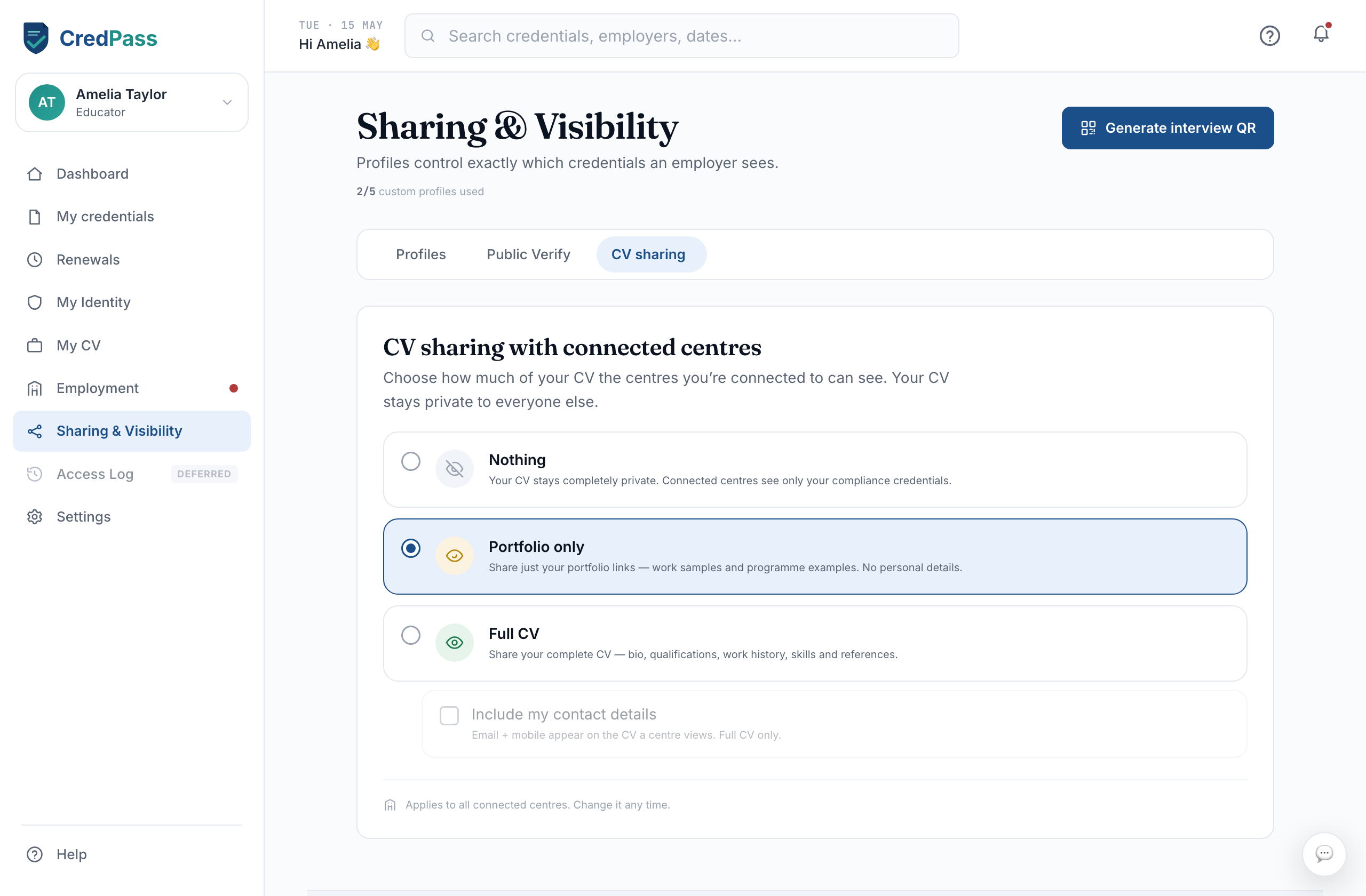
Sharing & Visibility puts you in charge of who sees your passport, how much, and for how long. There are three ways to share, each suited to a different situation - a private link for one centre, a public page anyone can check, or your CV as a document.
Interview share
An interview share is a private, time-limited link you send to a single centre - usually around an interview or a casual shift. They see only the parts of your passport you choose, and the link expires on the date you set, so access does not linger. Each active share also carries a QR code the centre can scan on the spot, and you can revoke it the moment you no longer need it.
Public verification page
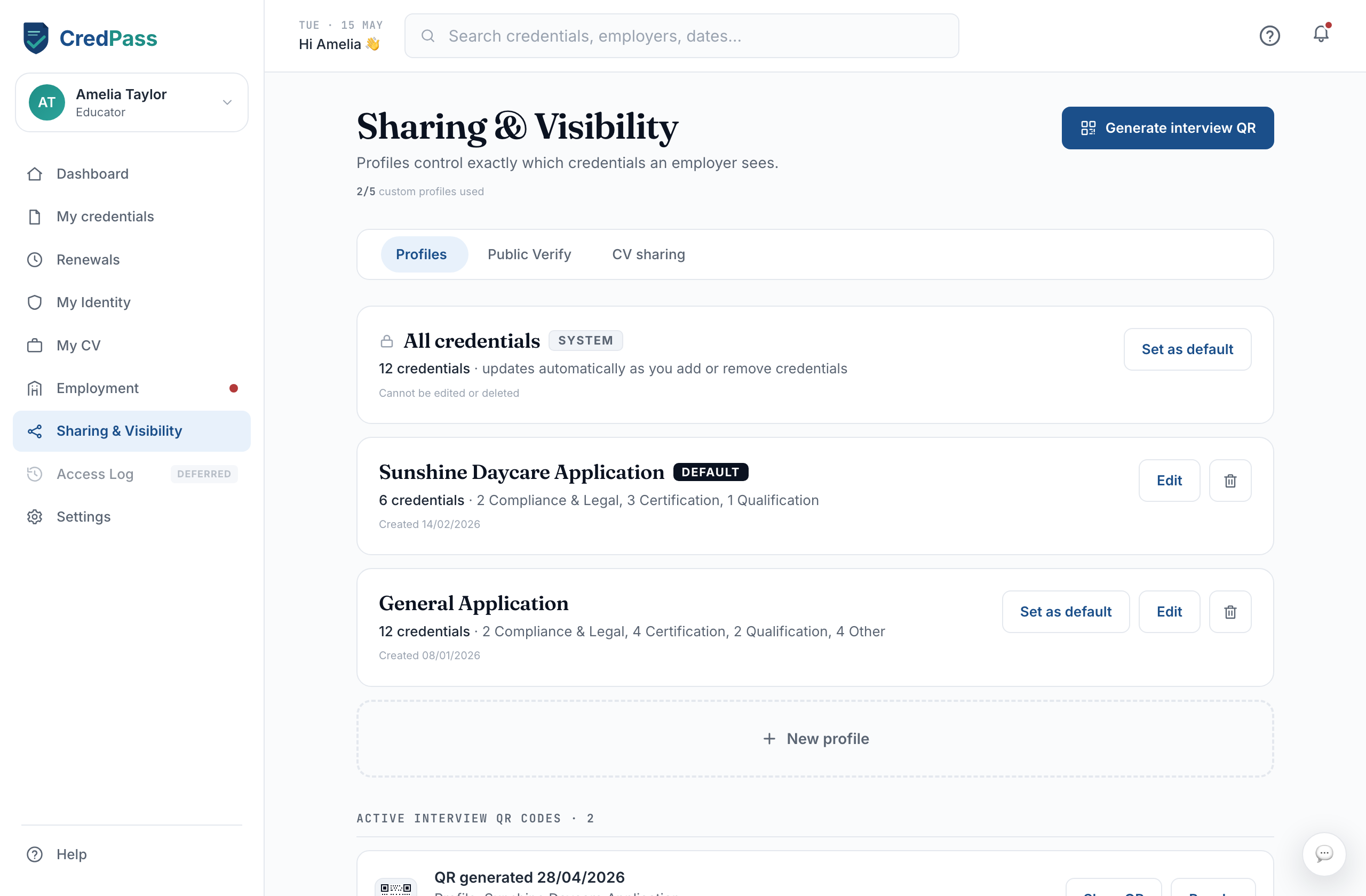
Your public verification page is a single link anyone can open to confirm your credentials are genuine - no CredPass account needed. It shows your verified status without exposing the underlying documents, which makes it safe to add to a resume, an email signature or a LinkedIn profile. Turn it on or off any time, and the link stops working the moment you switch it off.
CV sharing
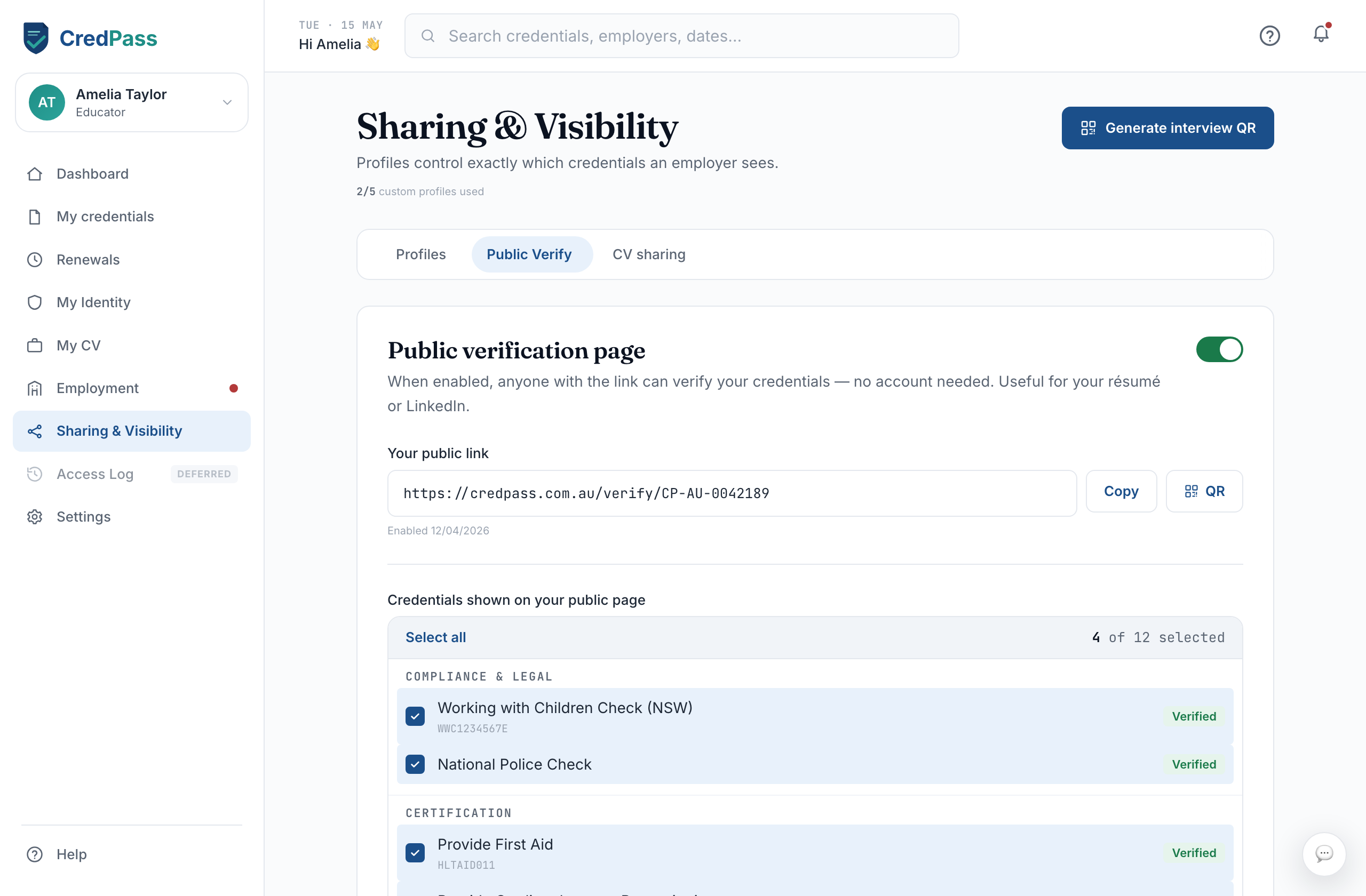
CV sharing turns your passport into a shareable professional CV. Choose whether a viewer sees your full CV or a lighter version, then send the link or export a PDF. It is the right choice when a centre wants a document to keep on file rather than a live profile - for example alongside a job application.