What this is for
My CV turns your passport into a professional CV that a centre can view or download. It pulls your verified credentials in automatically, so your CV is always up to date and backed by real documents.
Key things you can do
Add a short bio, work experience and education
Choose exactly what appears on your CV
Preview how it looks to a centre
Export a clean PDF to share anywhere
Step by step
1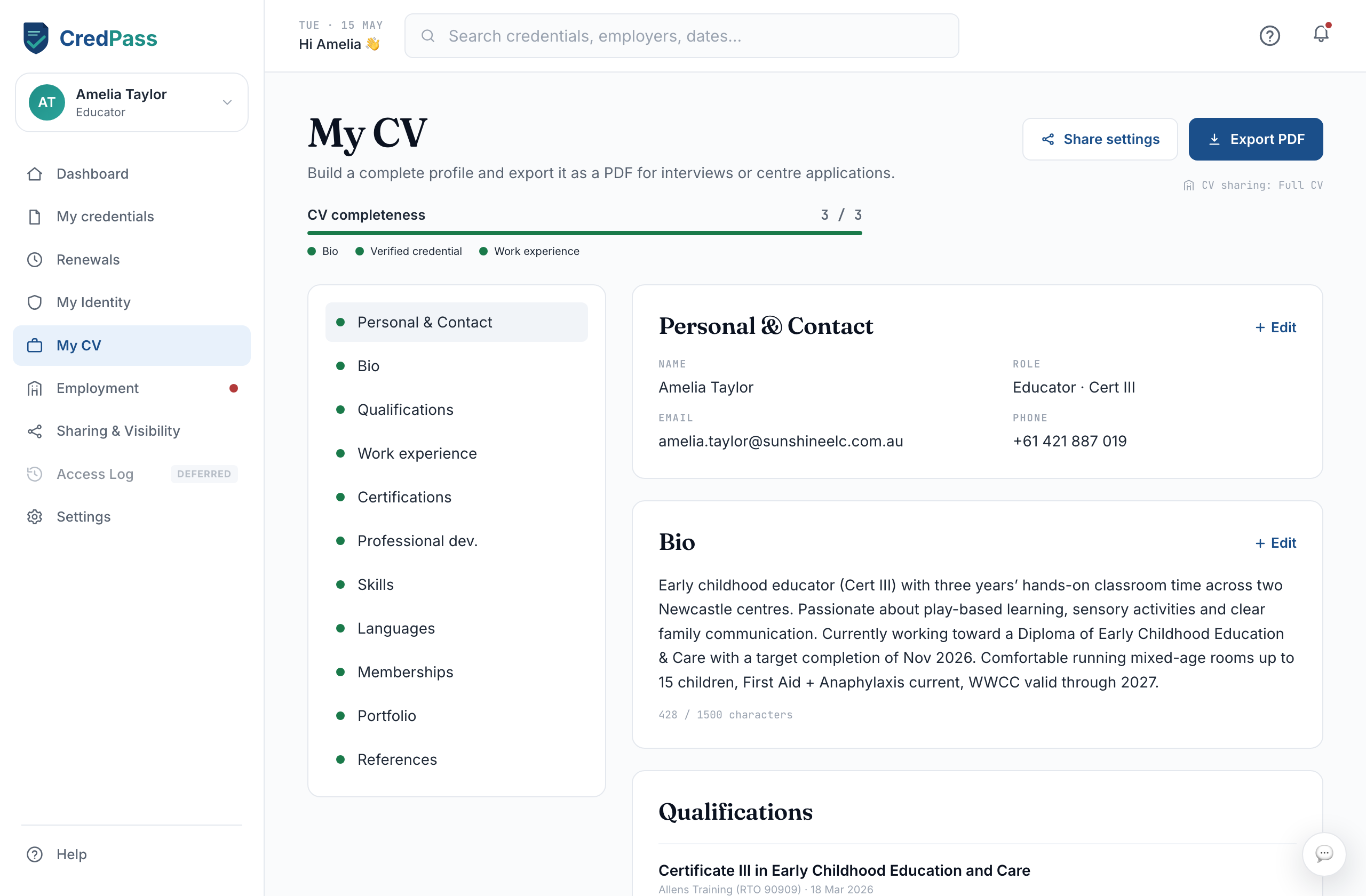
Add your details
Fill in a short bio, then add work experience and education. CredPass already has your verified credentials.
2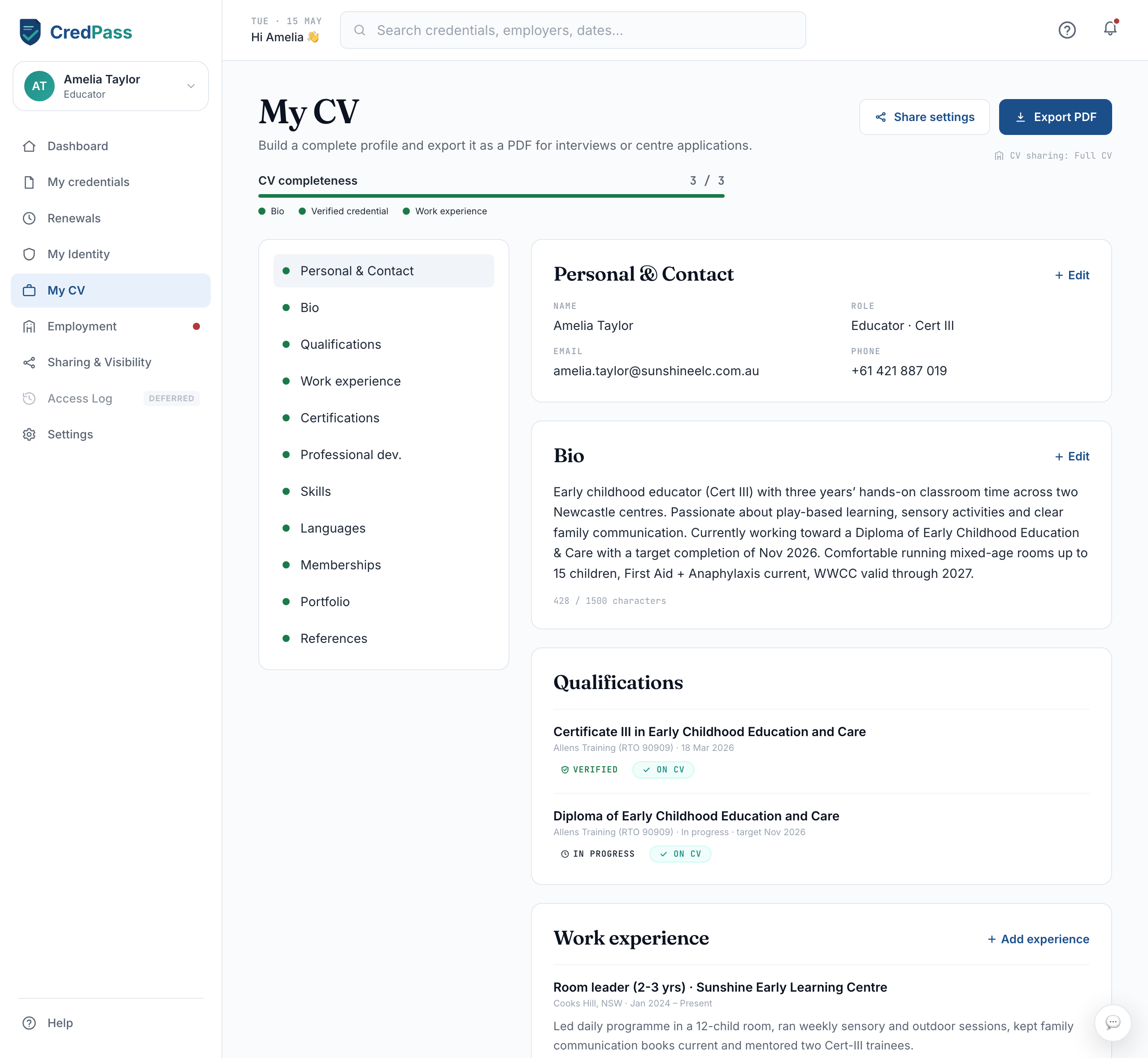
Choose what shows
Use the Show-on-CV toggles to include or hide any item. Your CV shows only what you want.
3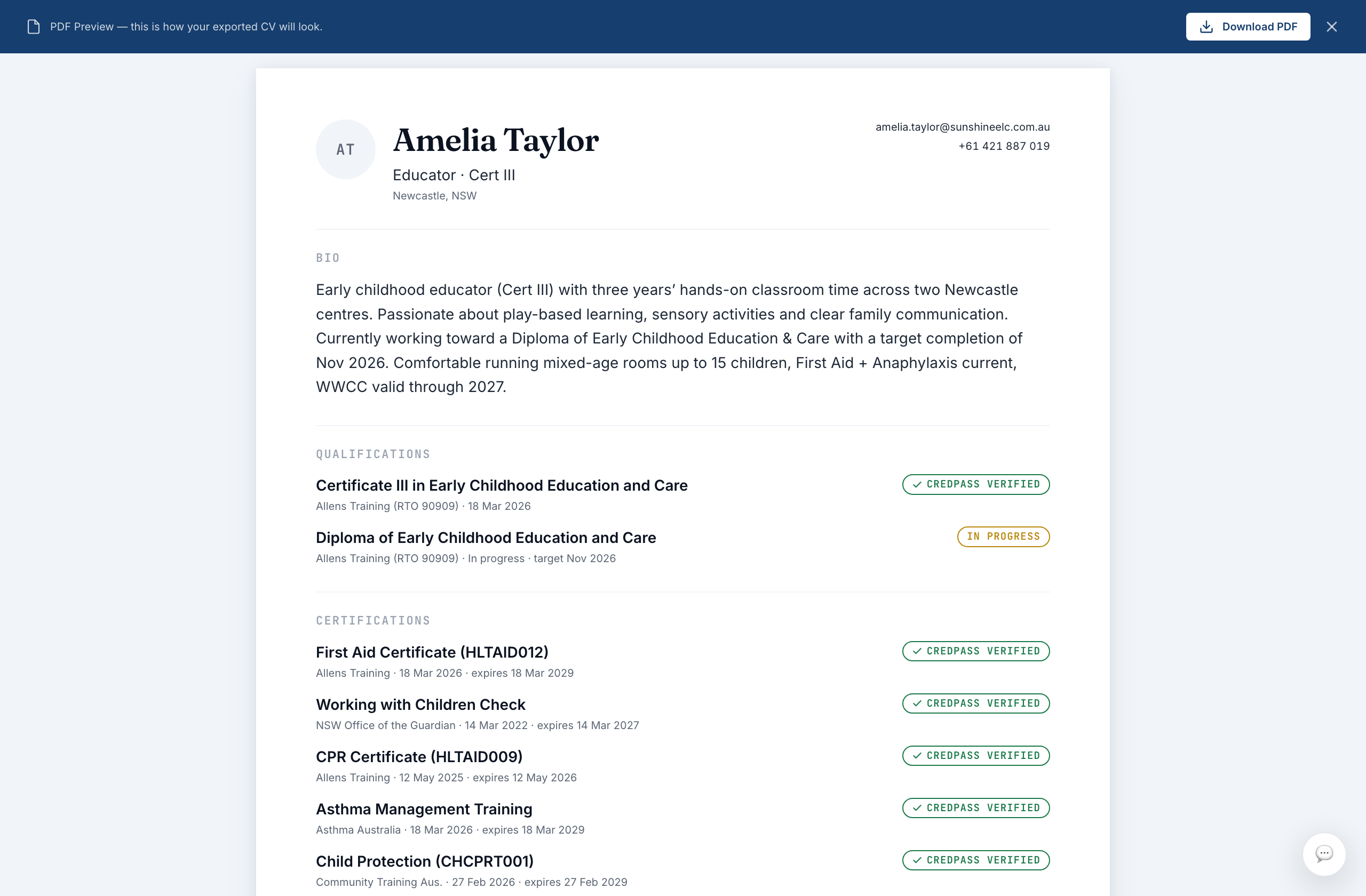
Preview and export
Preview your CV as a centre would see it, then export a PDF when you are happy.
Good to know
Your CV updates itself as your credentials change - no need to redo it.
You are always in control of what a centre can see.
Questions
Can I download my CV as a PDF?
Yes. Once your CV has enough detail, the Export PDF option becomes available.
Who can see my CV?
Only the centres you share it with. Sharing & Visibility controls access.