What this is for
My Identity holds your verified name, any previous names, and your personal details. It matters because a credential only counts if the name on it matches you - so CredPass uses this to line everything up.
Key things you can do
Confirm the verified name on your passport
Add a previous name so older credentials still match
Keep your contact and personal details current
Step by step
1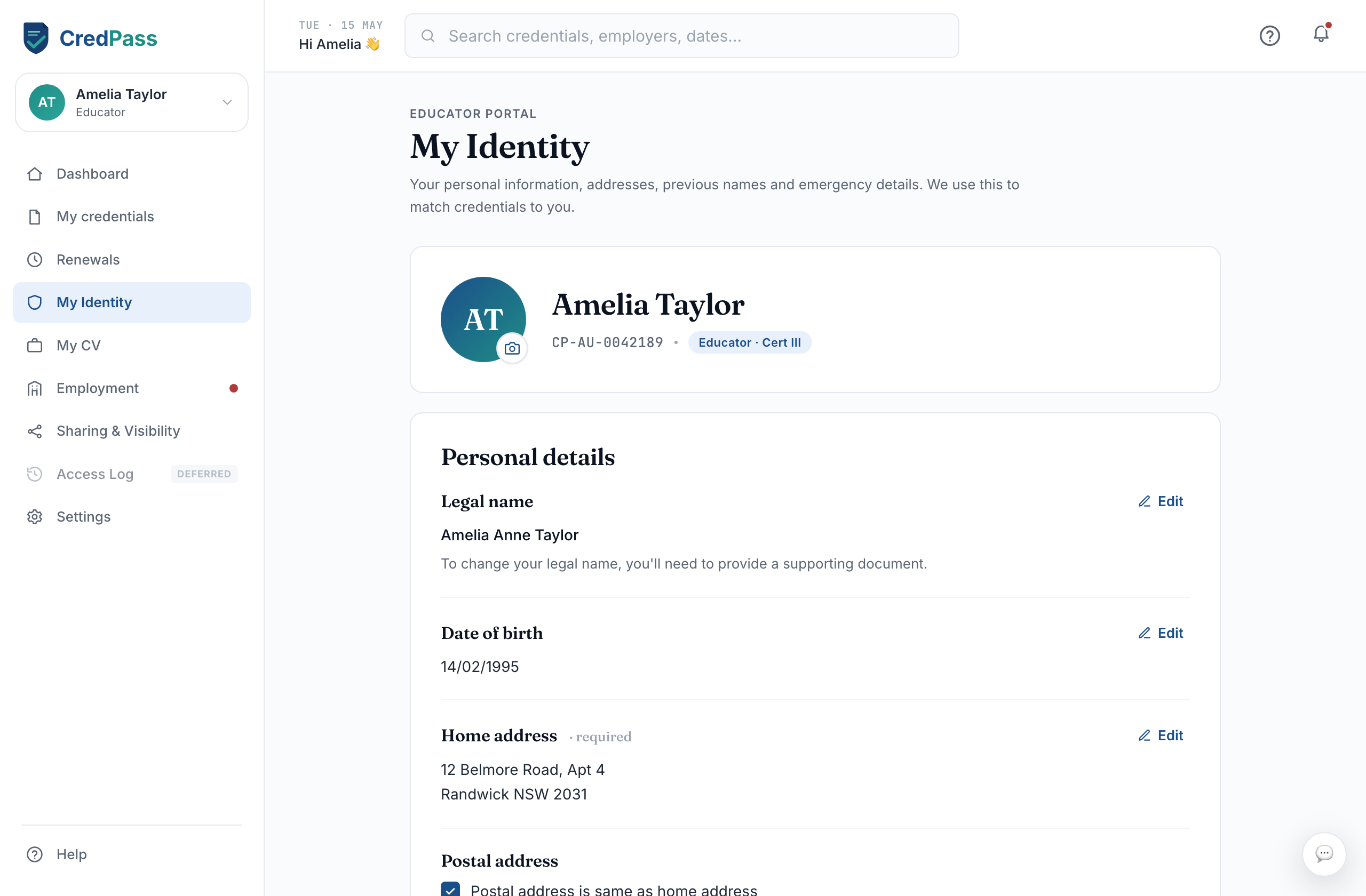
Open My Identity
Select My Identity from the sidebar to see your verified name and details.
2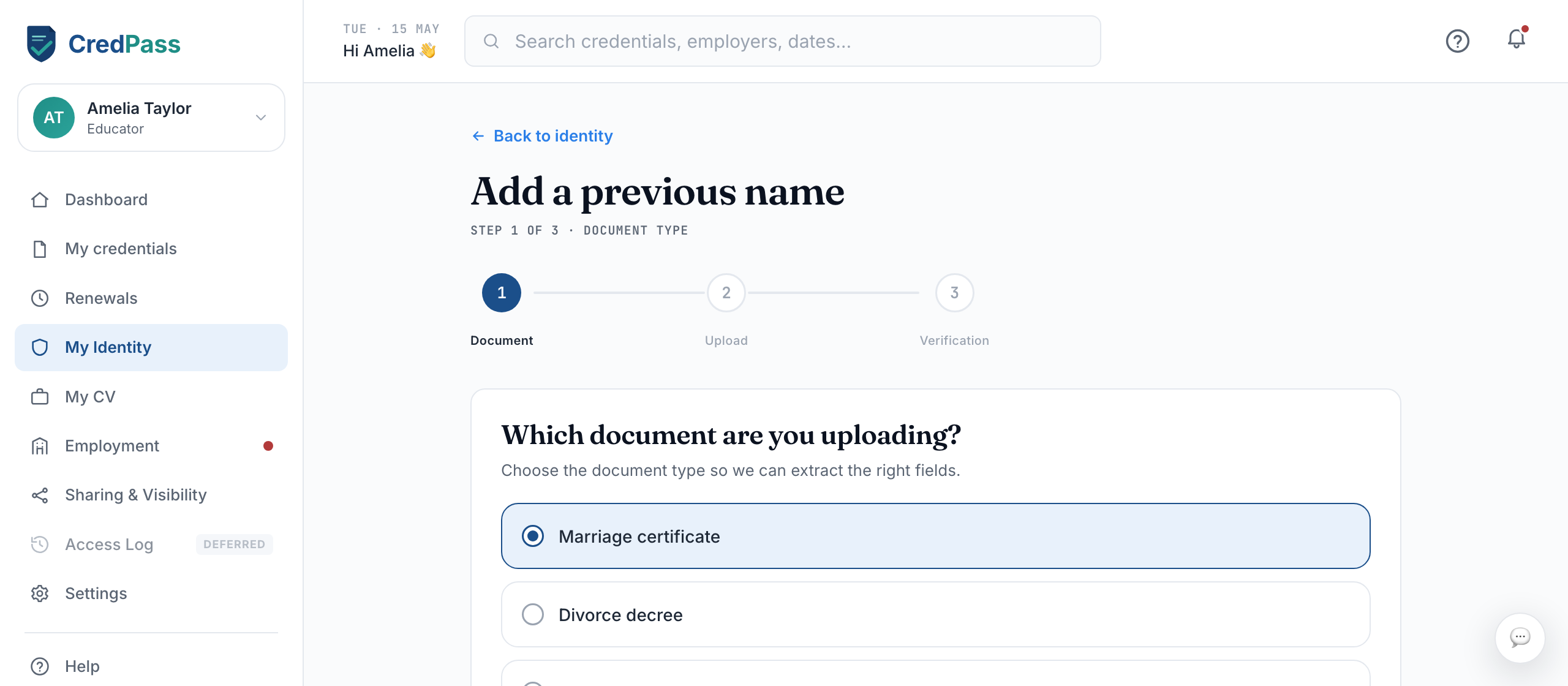
Add a previous name
Select Add previous name, enter the name and the dates you used it, and save. CredPass can then match credentials issued under that name.
3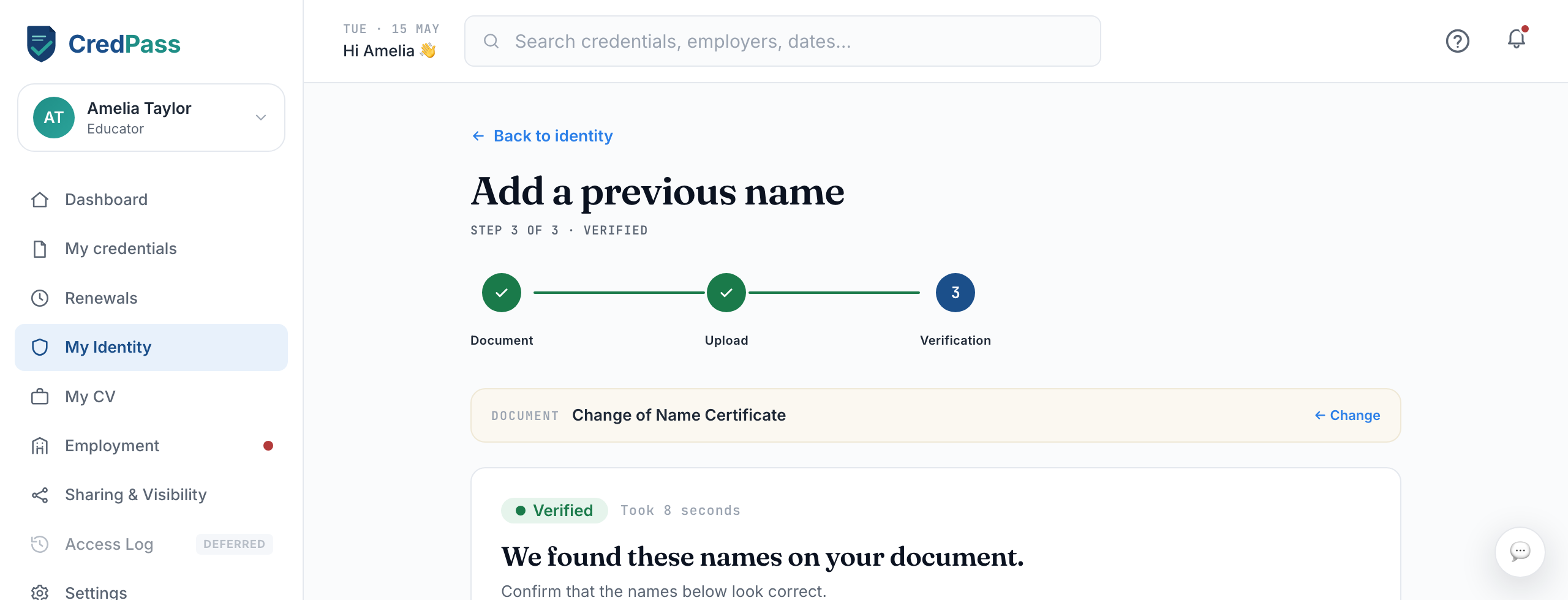
Confirm it is right
Check the spelling against your documents. A verified name is locked once confirmed, so it stays consistent.
Good to know
Previous names help CredPass match credentials issued before you changed your name.
Your verified name is locked after verification, so a centre can trust it.
Questions
Why would I add a previous name?
If a credential - like a qualification - was issued under a maiden or former name, adding it lets CredPass match that document to you.
Is my ID document stored?
CredPass stores your details securely in Australia and uses them only to verify your identity.