What this is for
Billing is where you choose your plan, update payment, and find your invoices. Educators always use CredPass free - you pay only for the centre dashboard, priced by the size of your team.
Key things you can do
Choose or change your plan
Update your payment method
Download past invoices
See how your team size maps to a plan
Step by step
1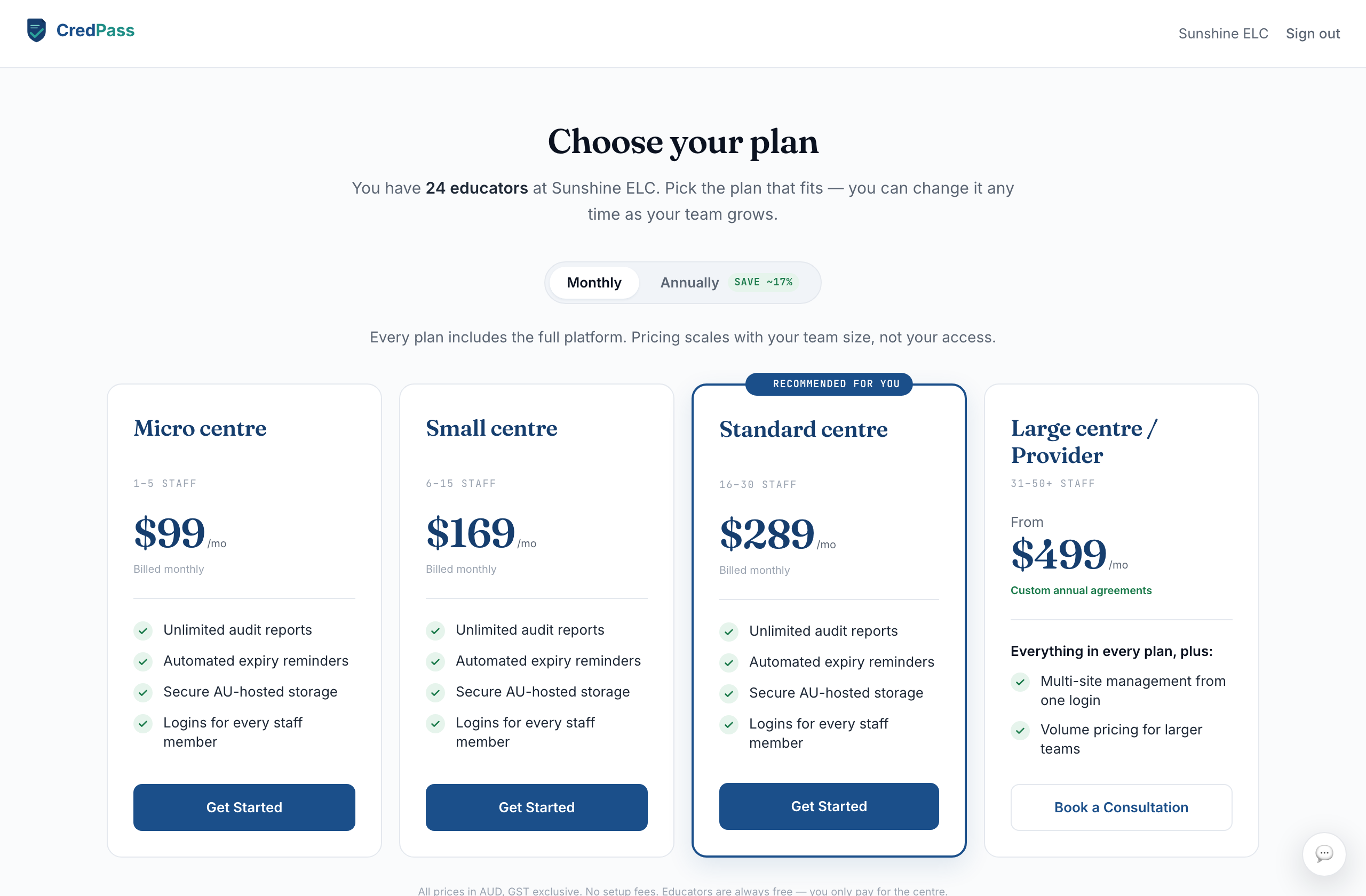
Choose a plan
Pick the plan that fits your team size. Every plan includes the full platform - pricing scales with headcount, not access.
2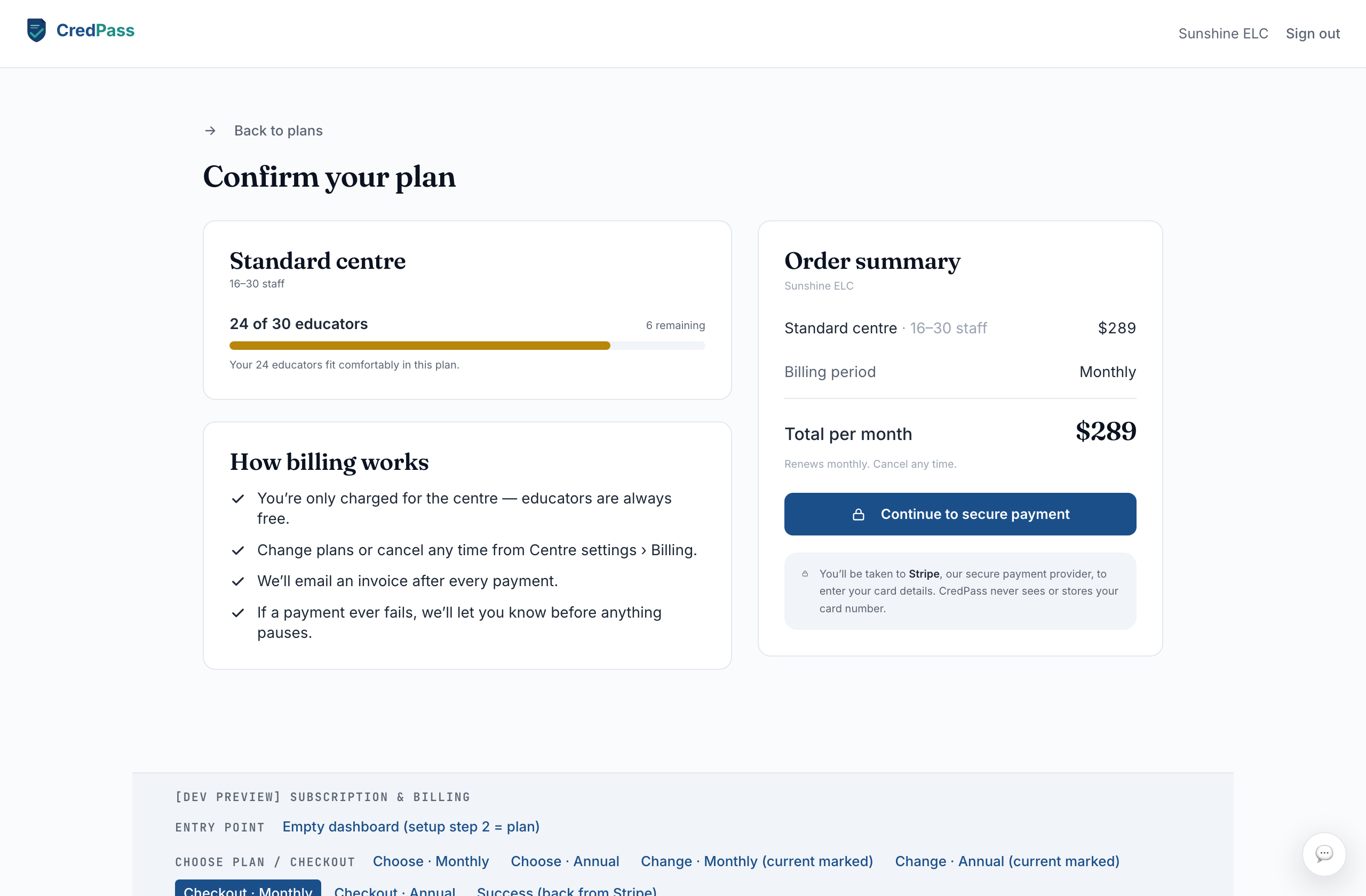
Confirm and pay
Review the order, then continue to Stripe to enter card details. CredPass never sees your card number.
3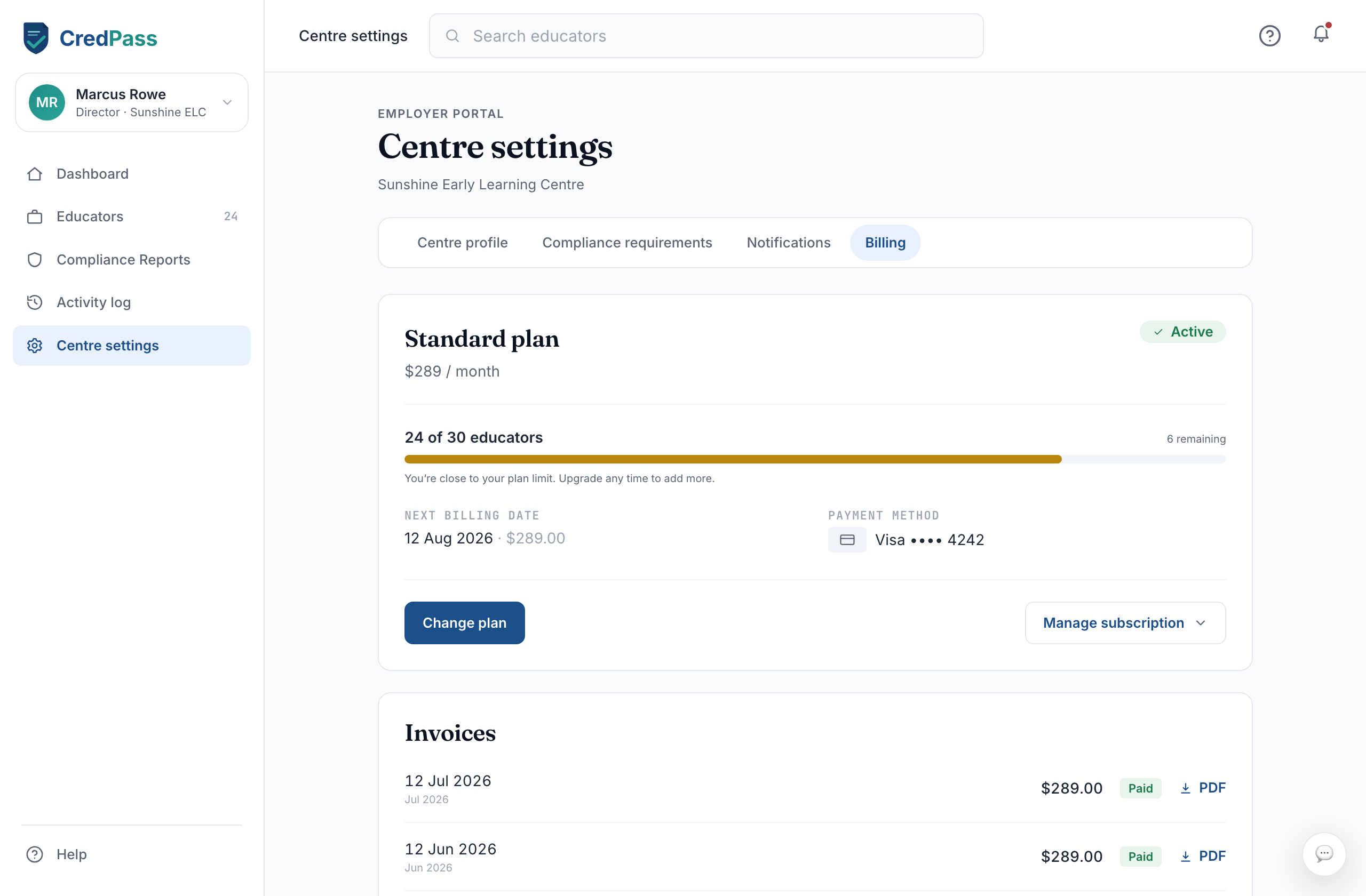
Manage it later
From the Billing tab you can change plans, update payment, or cancel - your access runs to the end of the paid period.
How plans are priced
Micro - 1-5 staff.
Small - 6-15 staff.
Standard - 16-30 staff.
Large - 31-50+ staff, priced by consultation.
Good to know
Pricing scales with your team size, not your access - every plan has every feature.
If you reach your plan’s headcount cap, adding another educator prompts an upgrade.
Card details are handled by Stripe; CredPass never stores them.
Questions
Why am I blocked from adding an educator?
You have reached your plan’s headcount cap. Move up a plan to add more - CredPass shows the next plan up when it happens.
Do educators pay anything?
No. Educators use CredPass free. The centre pays for its dashboard.
How do I change plans?
Open Billing, select Change plan, and pick a new tier. Upgrades apply straight away; downgrades take effect at the end of your period.