On this page
What this is for
Educators is where you connect, view and manage everyone at your centre. Each educator brings their own verified Credential Passport, so once they join you can see the credentials relevant to their role and keep the centre compliant.
For each educator you can see checks like their WWCC and when it expires, so nothing lapses on your watch.
Key things you can do
Invite an educator by email or CredPass ID
Invite several at once with a bulk invite
Open any educator to see their credentials
Filter your team by compliance status
Archive an educator when they leave
Step by step
1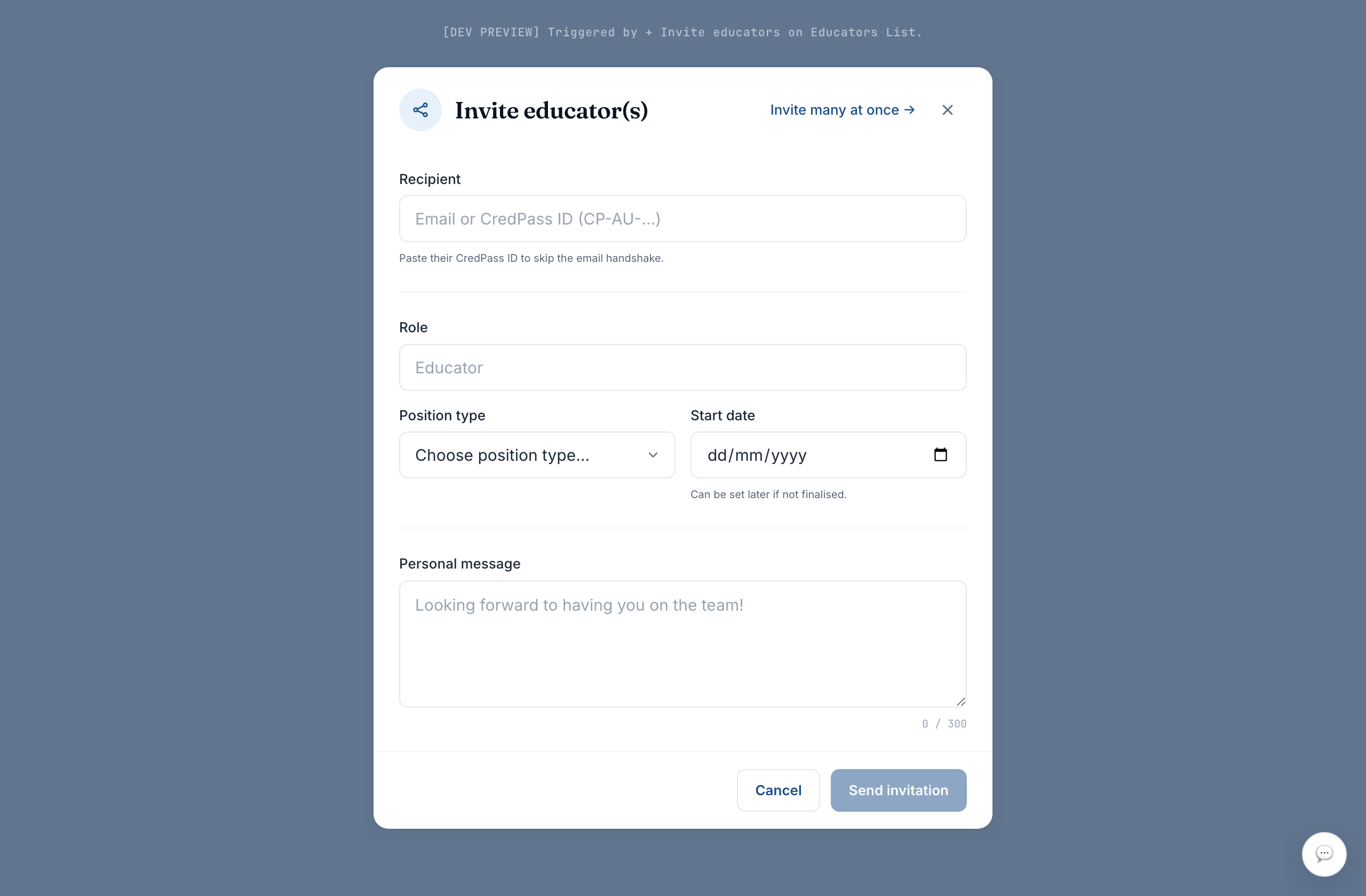
Invite an educator
Select Invite educators, then enter an email or a CredPass ID. Add a role and start date so their record is ready.
2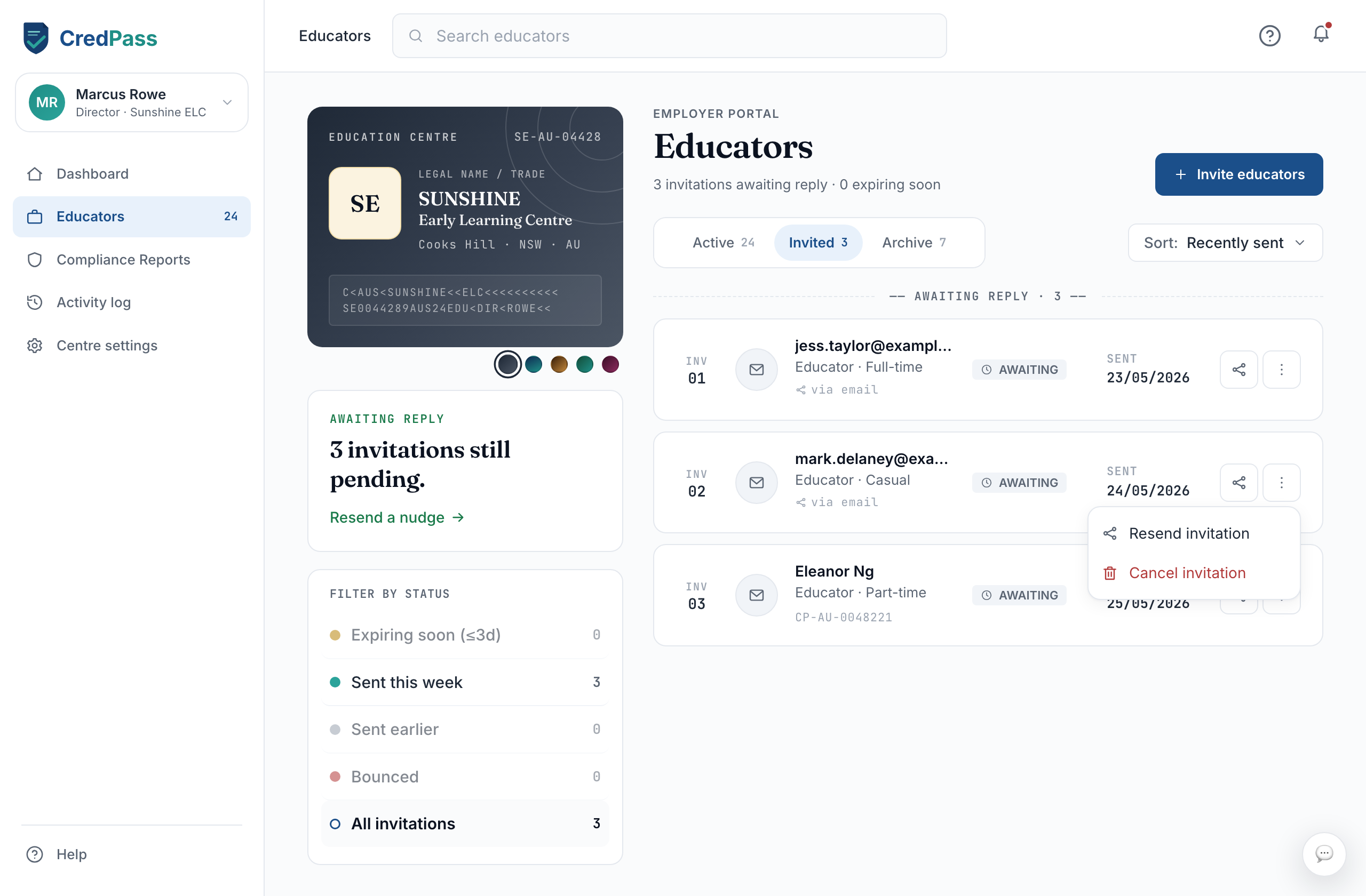
They accept
The educator accepts the invitation from their own CredPass. Until they do, they show under Invited.
3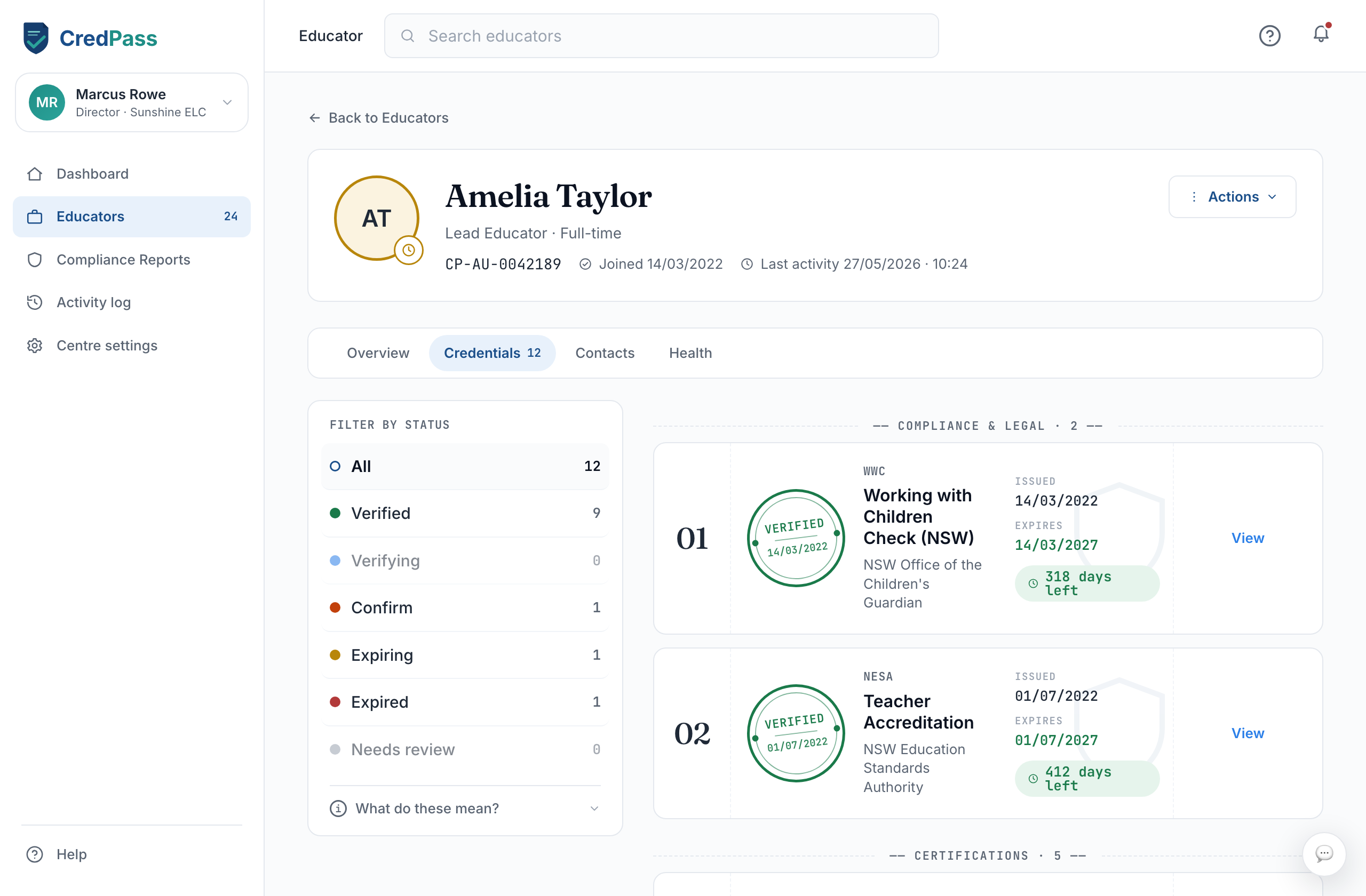
Review their credentials
Open an educator to see every credential, its status and expiry. Filter by status to focus on what needs action.
What each status means
All clear - Every credential current.
Expiring - A credential due within 90 days.
Expired - One or more credentials lapsed.
Action needed - Waiting on the centre to act.
Renewal in progress - Educator is renewing a credential.
Good to know
When an educator joins, you see the credentials relevant to their role and their expiry - not their private details.
An archived educator keeps a read-only snapshot for three years, for ACECQA.
A pending invitation stays under Invited until the educator accepts.
Questions
How do I invite an educator who is new to CredPass?
Invite them by email. They set up a free CredPass account, and their record connects to your centre automatically.
What can I see about an educator?
The credentials relevant to their role at your centre, and their expiry. You cannot see anything they keep private.