What this is for
Compliance Reports turn your team’s credentials into something you can act on and share. Use the Quick Report for a daily scan, the ACECQA Worker Register for an inspection, and History for a record of what you have generated.
The report is built to satisfy ACECQA so you can hand it straight to an assessor.
Key things you can do
Scan the Quick Report for anything expiring or missing
Filter to just the educators that need action
Download or print a report to share
Export the ACECQA Worker Register as a CSV
Re-generate any time for the latest picture
Step by step
1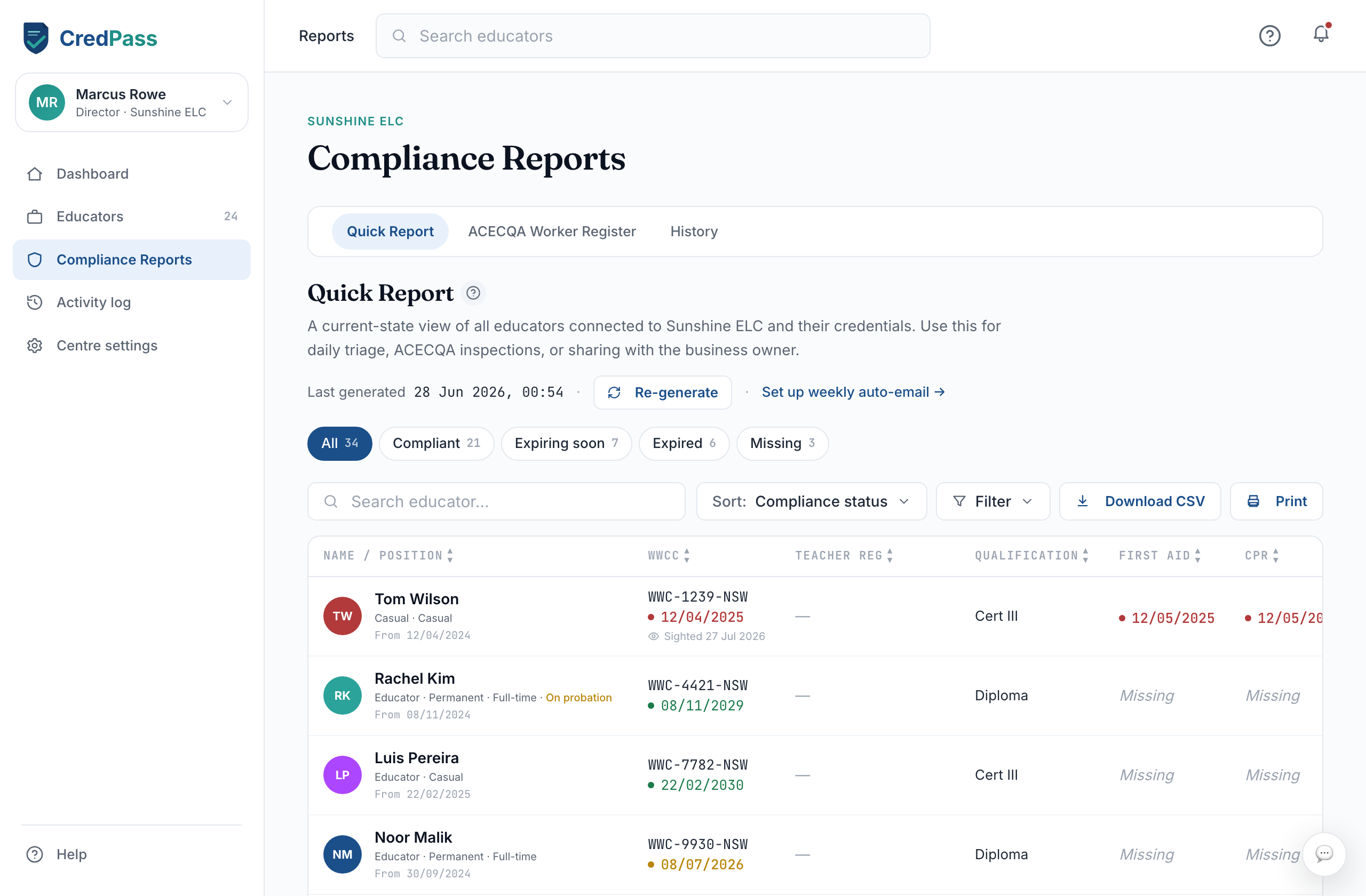
Open the Quick Report
Compliance Reports opens on the Quick Report - a row per educator, a column per credential type.
2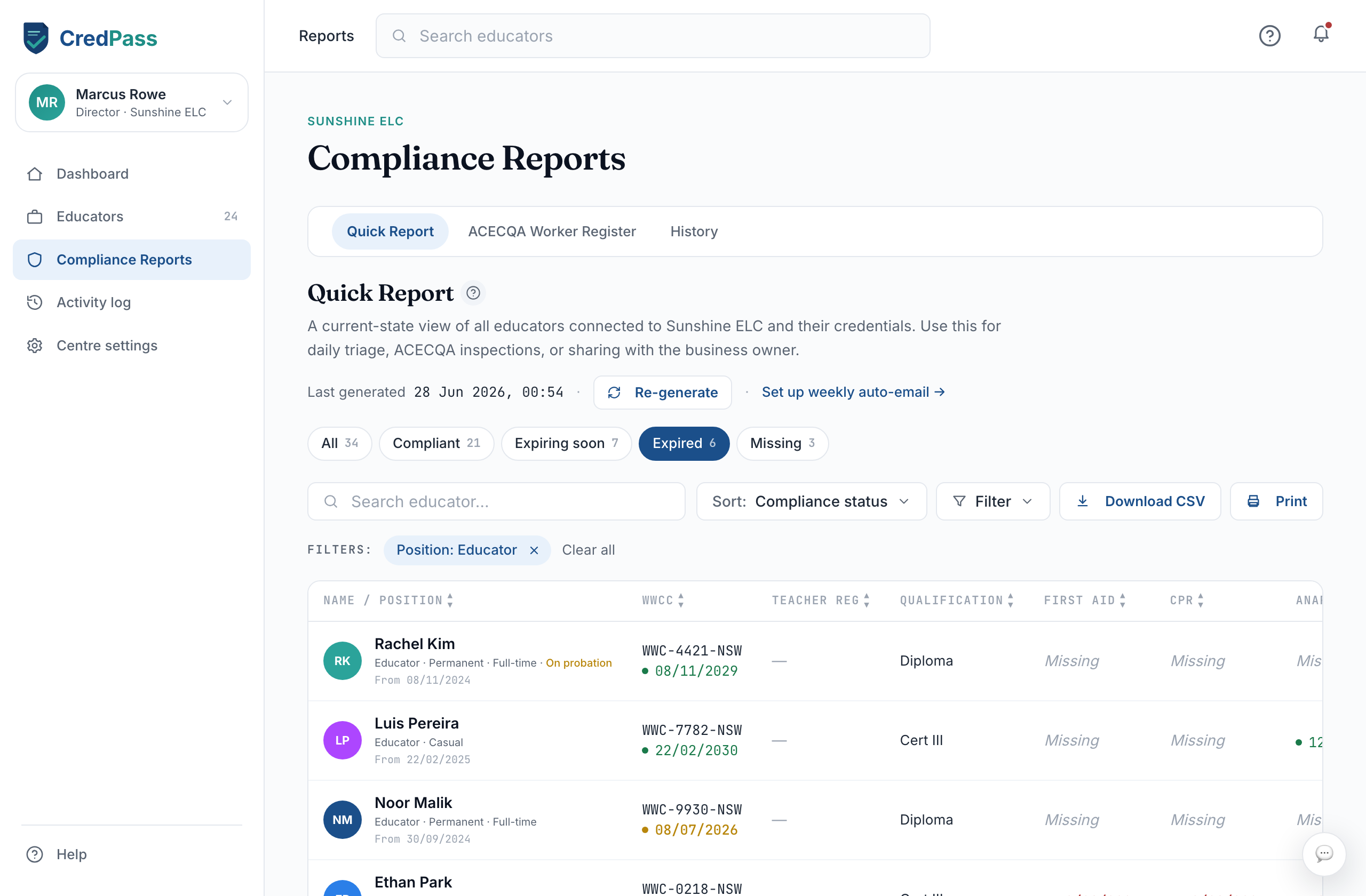
Filter and read
Filter to Expiring, Expired or Missing to focus. A coloured date shows status at a glance; Missing means the document is not on file.
3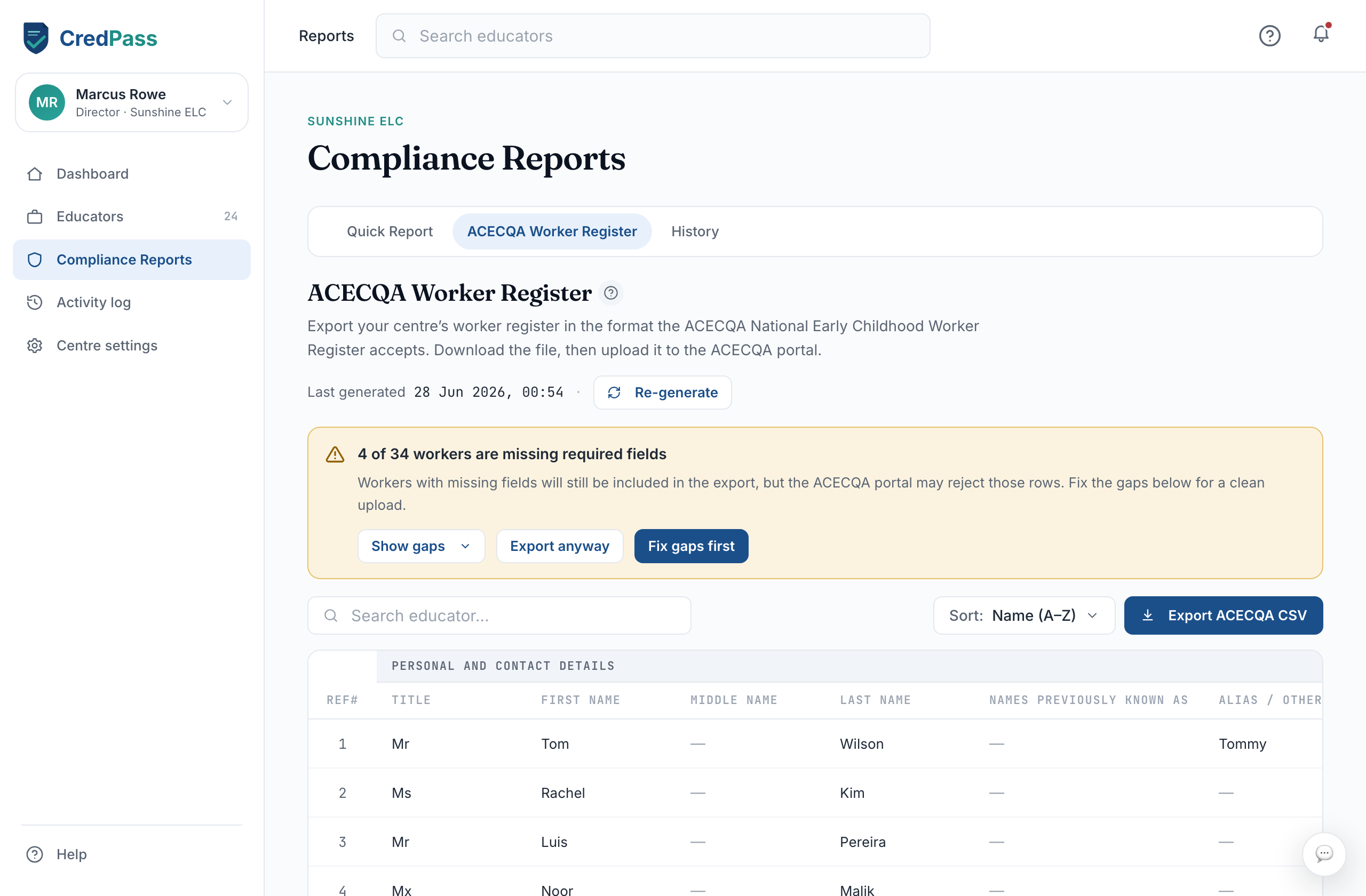
Export for ACECQA
Switch to the ACECQA Worker Register and download the CSV in the format an assessor expects.
What the cells show
A green date - Current - valid past 90 days.
An amber date - Expiring within 90 days.
A red date - Expired.
Missing - No document on file yet.
Sighted - You physically checked the original, with the date.
Good to know
A report is a point-in-time snapshot - re-generate for the latest.
Some documents are sighted physically; that date is recorded on the report.
Educators always use CredPass free - reports cover the credentials they share with you.
Questions
What is the ACECQA Worker Register?
A standard record of your team’s credentials in the layout an ACECQA assessor expects. CredPass builds it from your educators’ passports.
How current is a report?
It reflects the moment you generated it. Re-generate any time to refresh it.