What this is for
Centre Settings is where you shape how CredPass works for your service - your centre profile, the documents you require of educators, and who receives compliance notifications.
Key things you can do
Edit your centre profile and ABN
Choose which documents your centre requires
Decide who receives notification emails
Reach Billing and your subscription
Step by step
1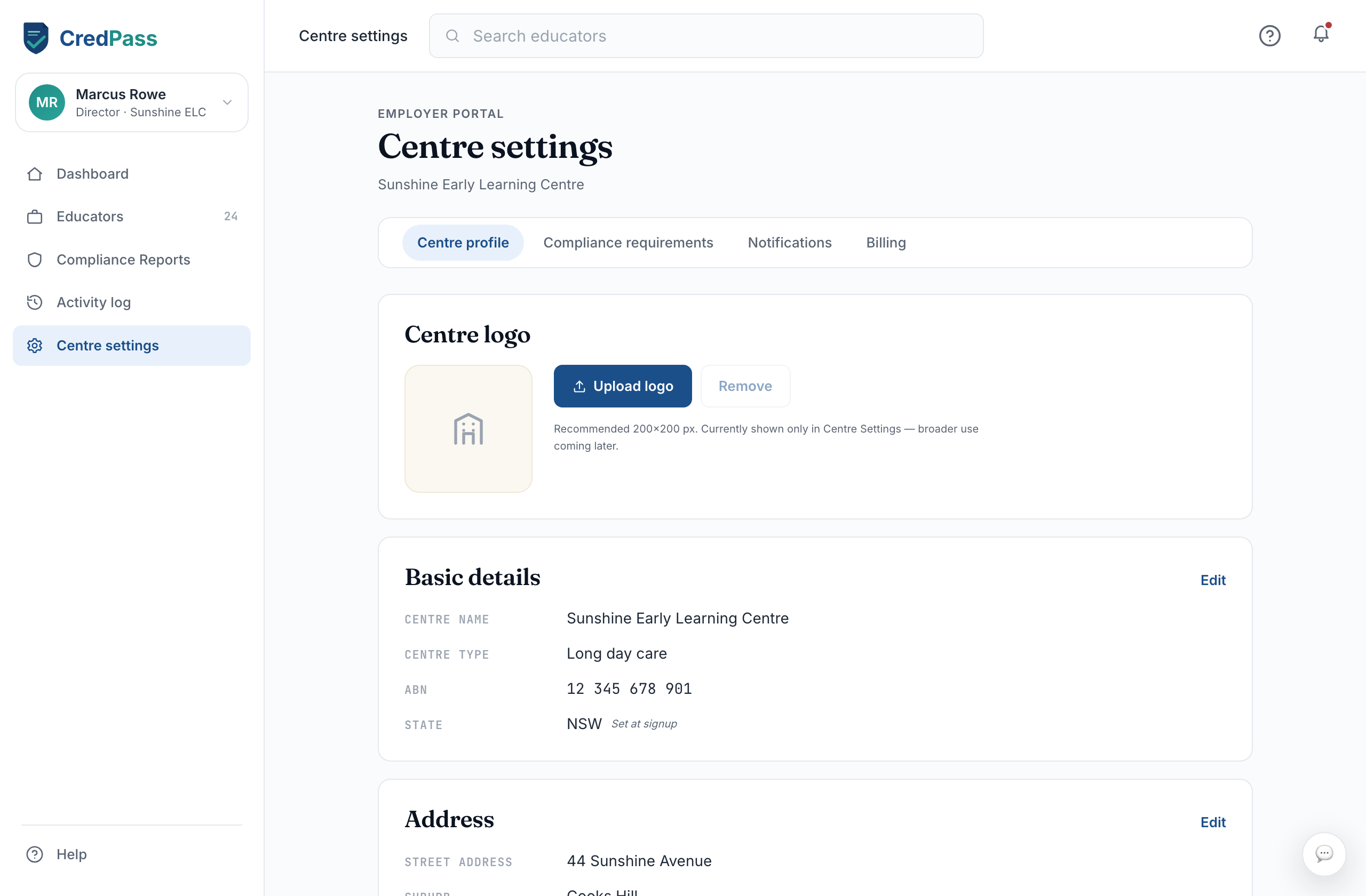
Confirm your centre profile
Check your centre name, ABN and address. CredPass confirms your ABN as you type.
2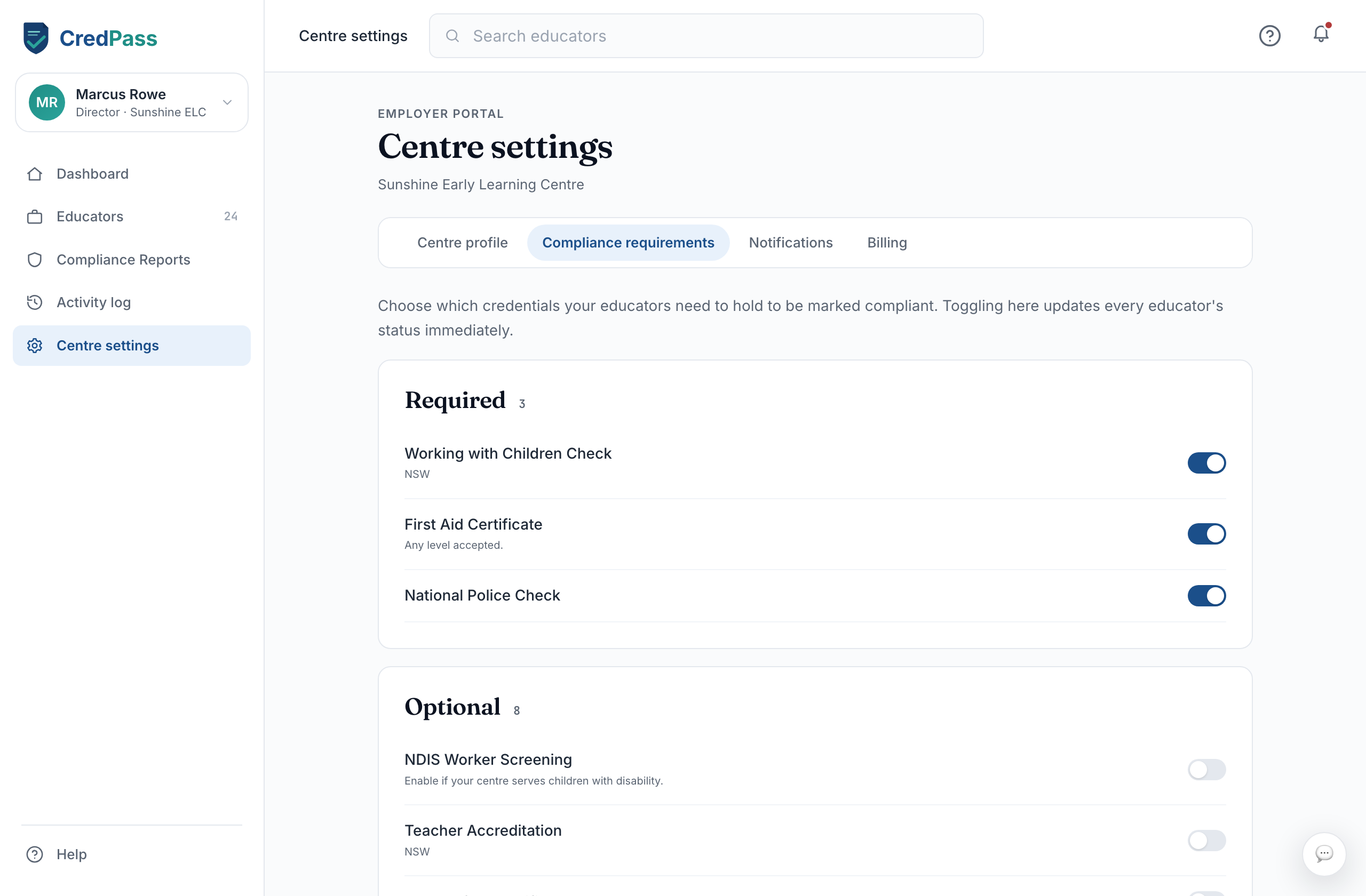
Set your requirements
Under Compliance requirements, choose the documents every educator must hold. This drives what CredPass asks of them.
3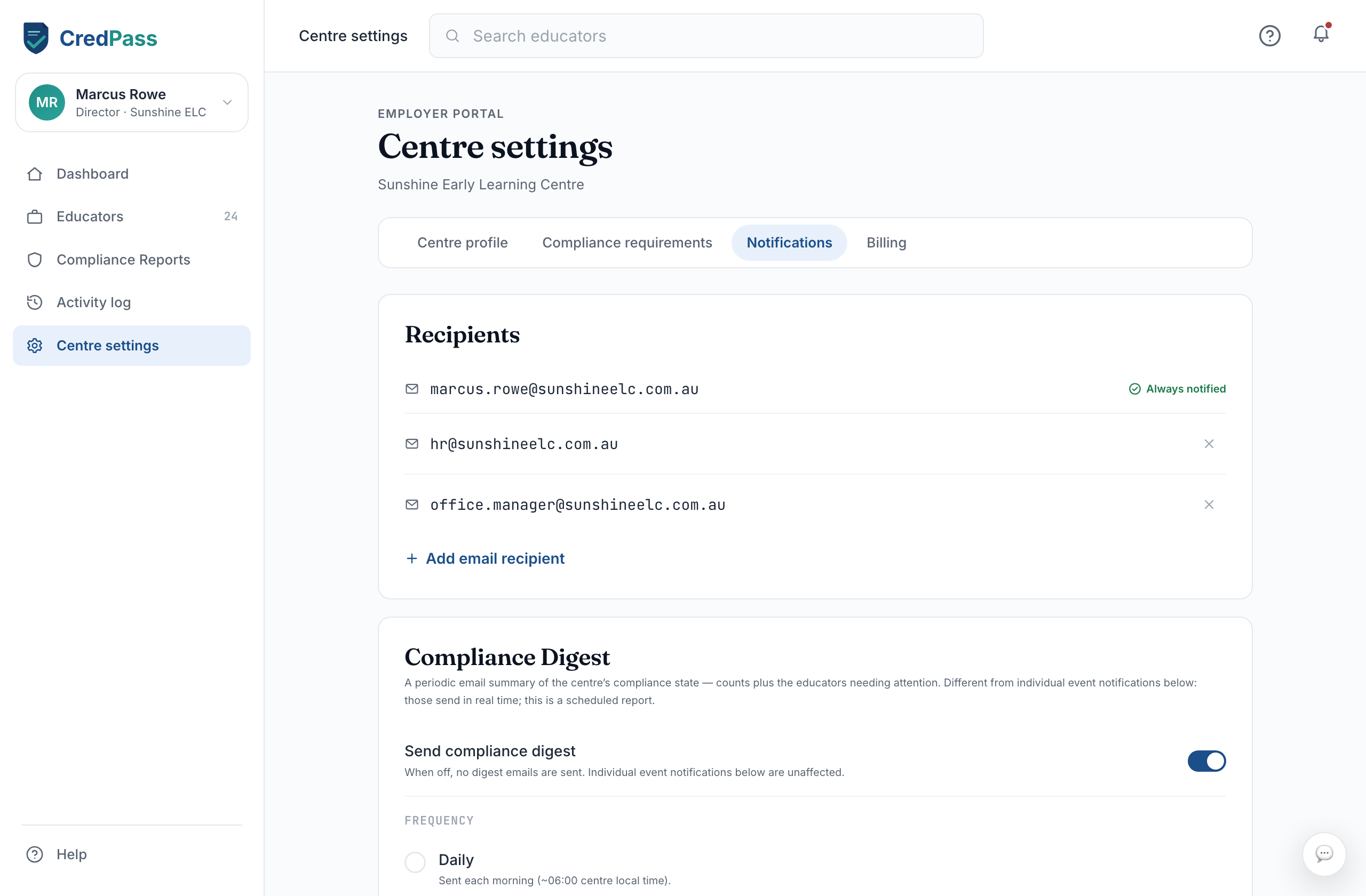
Add notification recipients
Add the people who should get compliance emails - usually a director and an admin.
Good to know
Your compliance requirements decide what each educator is prompted for.
Notification recipients get the expiry and action emails - keep the list current.
Billing lives here too, under its own tab.
Questions
Who gets notification emails?
Only the recipients you add under Notifications. They receive the centre’s compliance and expiry alerts.
Can I change what documents are required?
Yes. Update Compliance requirements any time; CredPass adjusts what it asks educators for.