What this is for
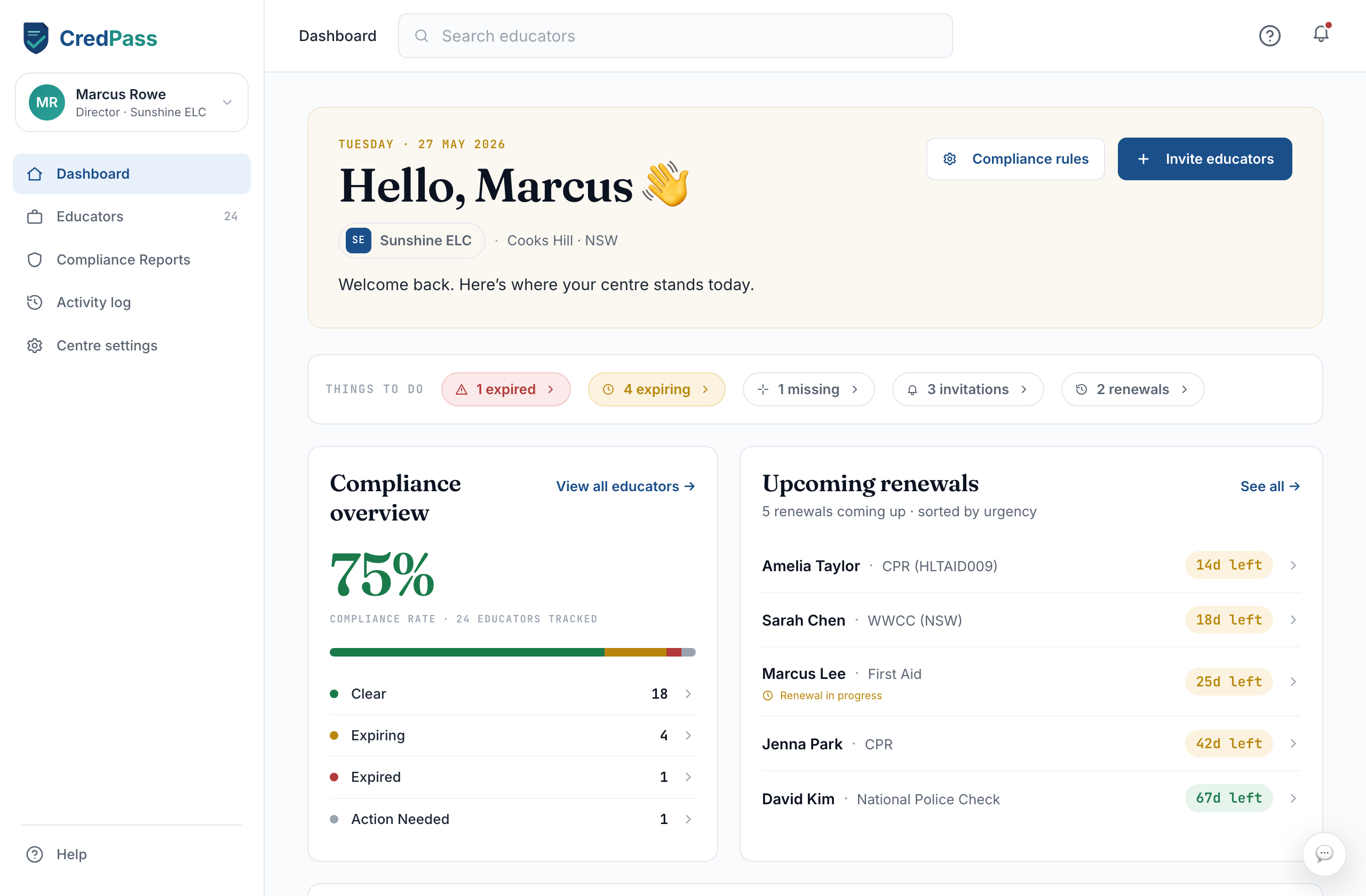
Your dashboard is the home base for the centre. It shows what needs attention across your team, how your setup is going, and what has changed recently - so you can run a quick daily check without opening every screen.
Key things you can do
See which educators need attention, at a glance
Work through the setup checklist when you are new
Jump straight to Educators or Compliance Reports
Follow recent activity across the centre
Good to know
Alerts reflect your whole team, not one person - clear them by acting on the educator behind them.
New centres see a setup checklist that guides the first few steps.
Questions
Why is an educator flagged?
A flag means one of their credentials is expiring, expired, or needs input. Open the educator to see exactly what.
What is the setup checklist?
A short list that walks a new centre through configuring requirements, choosing a plan, inviting educators and setting notifications.