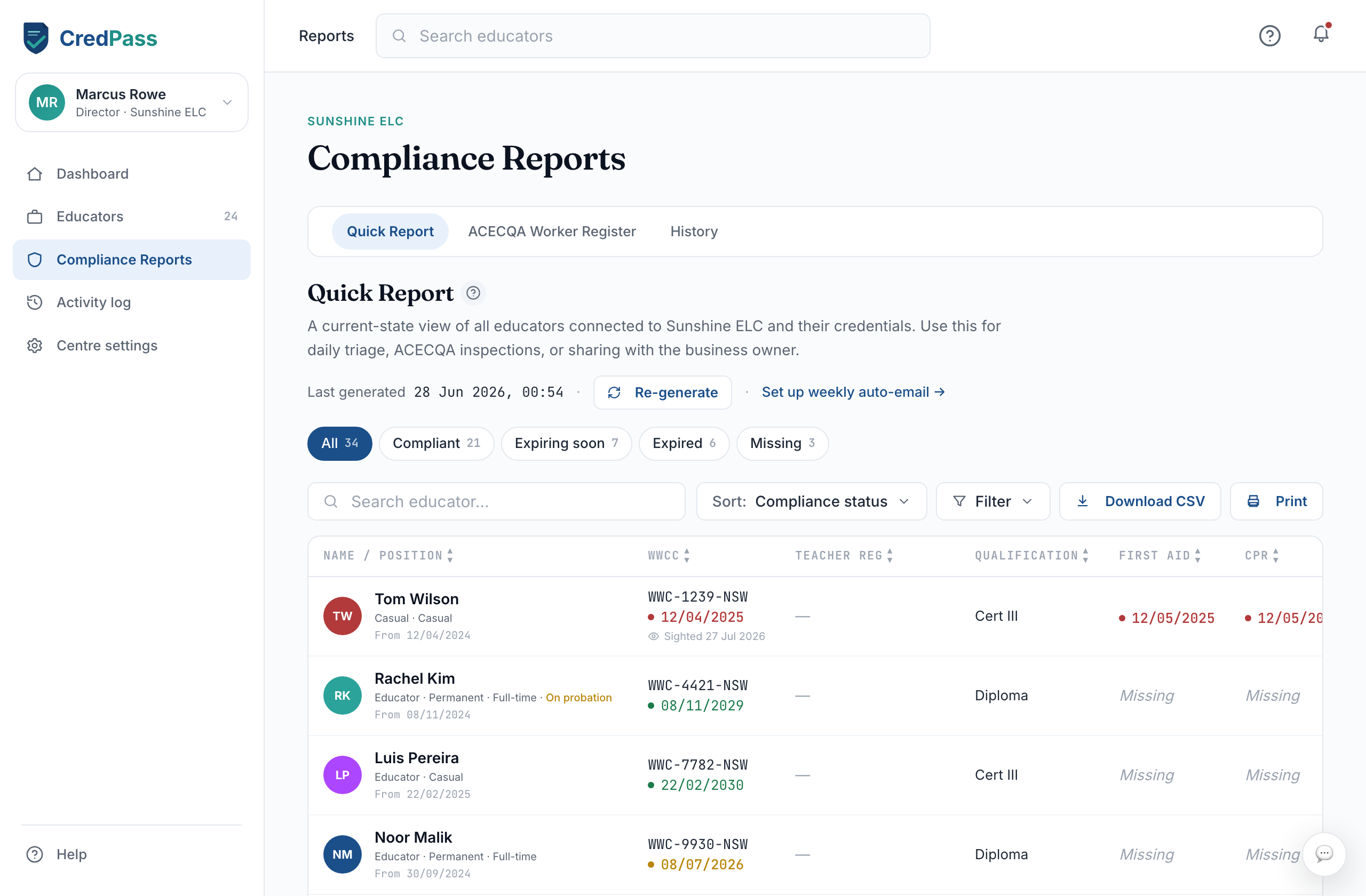
What this is for
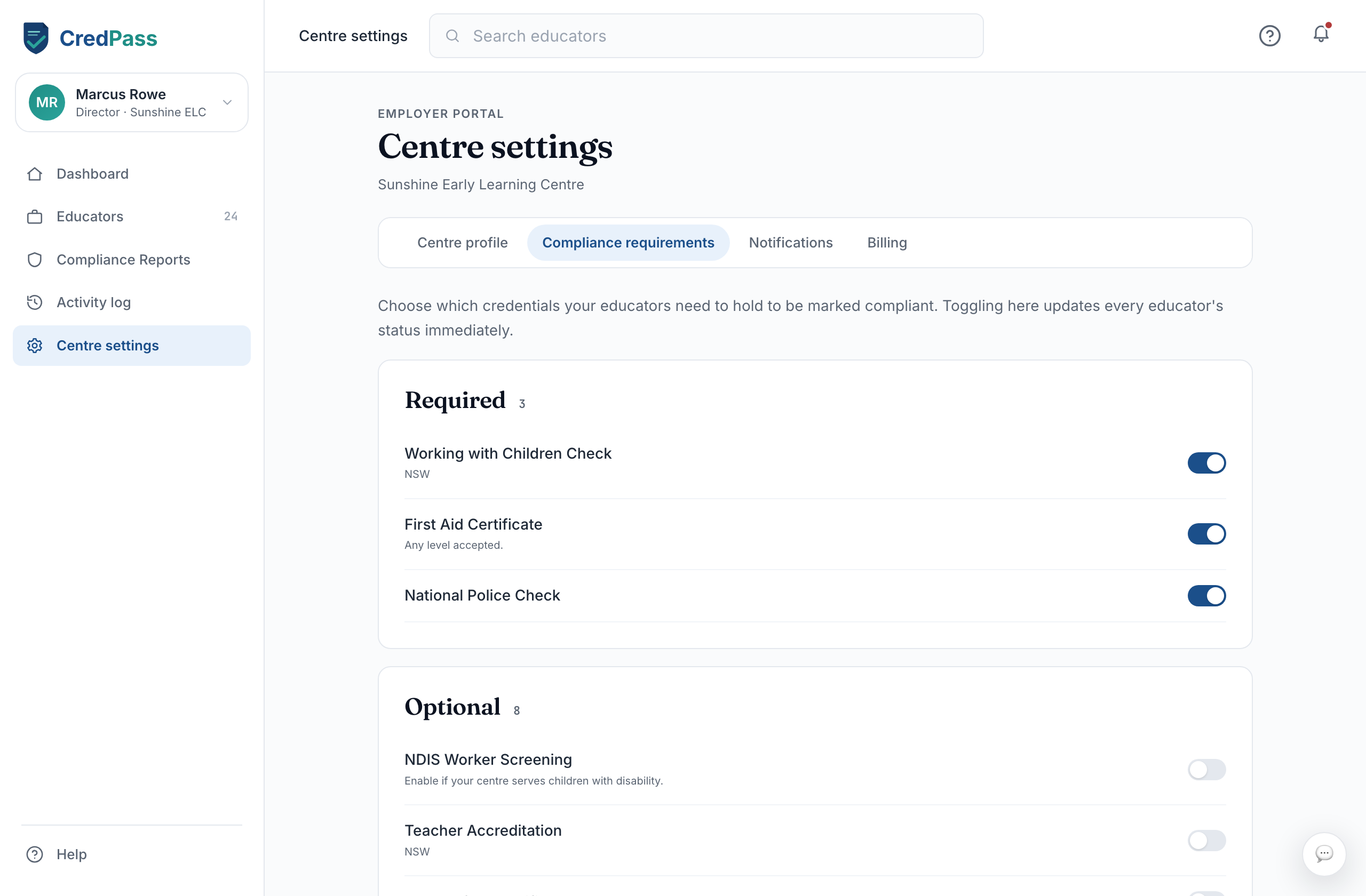
New to CredPass? This short tour covers the four steps to get your centre running: set your compliance requirements, choose a plan, invite your educators, and read your first Quick Report. About five minutes, and your whole team's compliance lives in one place.
Key things you can do
Step by step
In Centre Settings, choose which documents your centre needs its educators to hold - Working with Children Check, First Aid, qualifications and any others. This is what every educator is checked against.
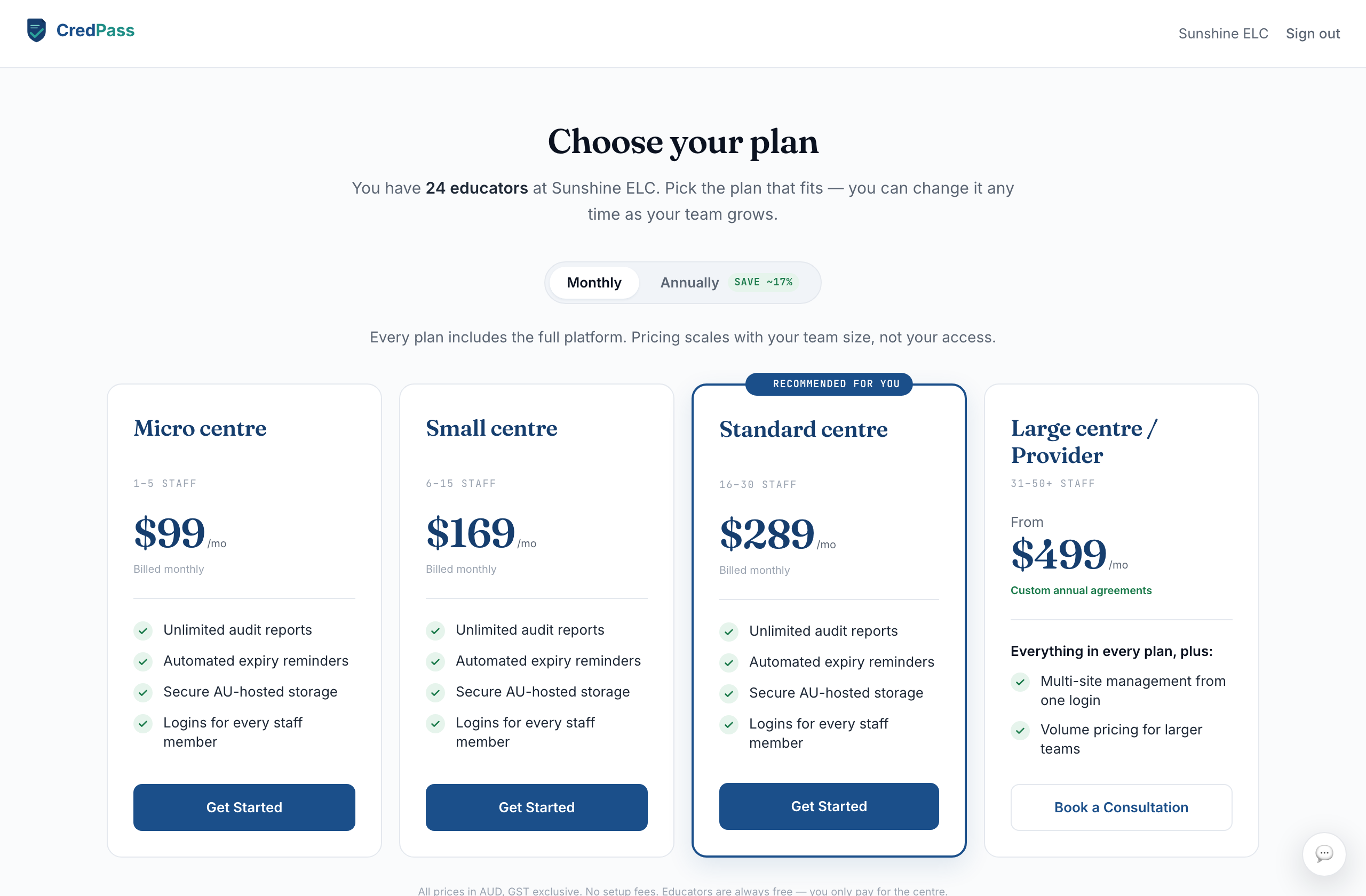
Subscriptions are tiered by the number of educators connected to your centre. Pick the plan that fits your team - you can change it later as you grow.
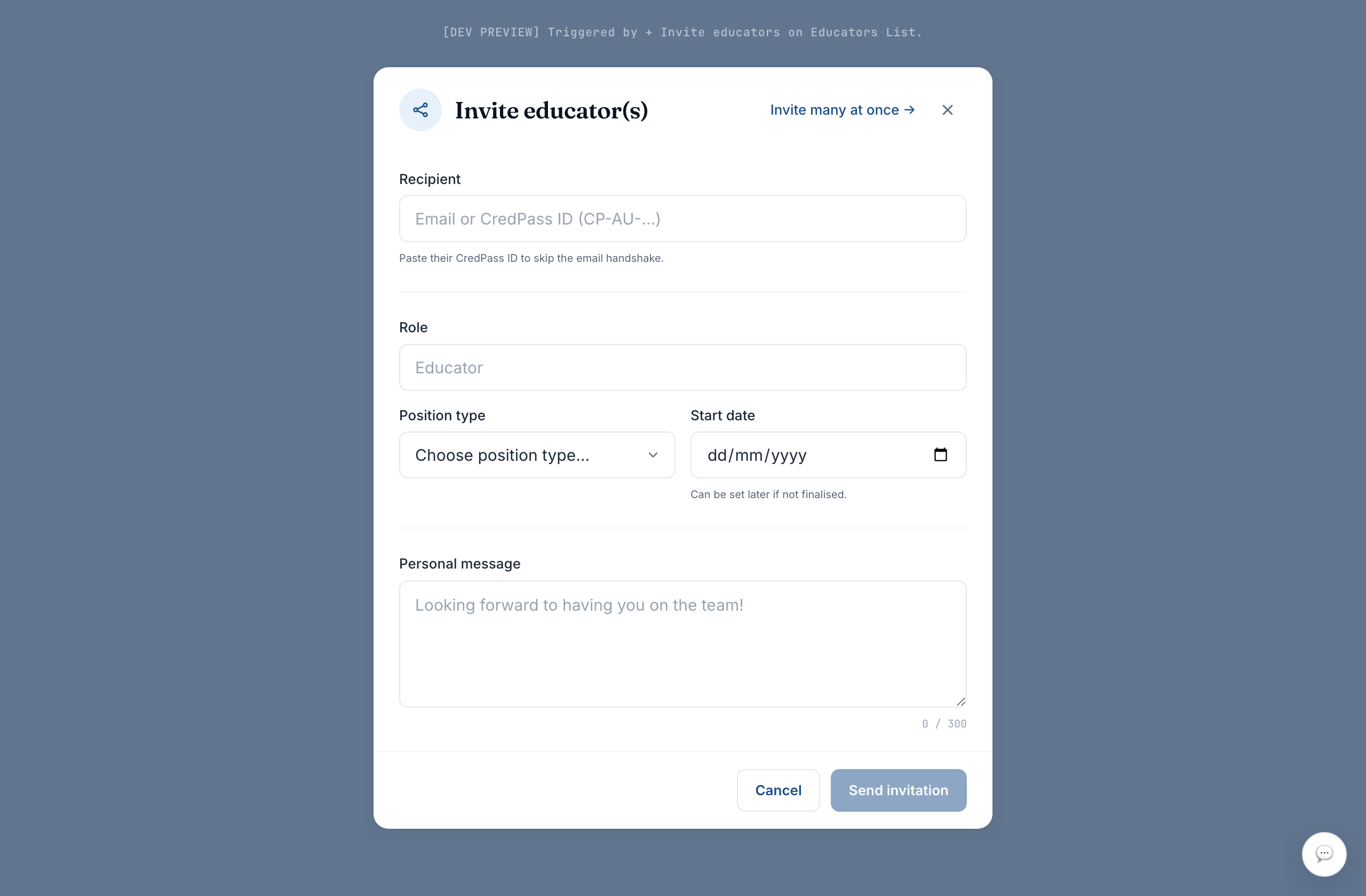
From Educators, invite people by email or CredPass ID - one at a time, or in bulk for a whole team. Educators keep their own passport; you see the credentials relevant to their role at your centre.
Compliance Reports gives you a live grid of every educator against every required document - all clear, expiring, expired or missing at a glance. Export the ACECQA Worker Register when you need it for a visit.